Side bets: the high hand
A side bet is an extra prize next to the tournament. UHT has one: the high hand. The best five-card hand anybody shows during the tournament wins it.
Friday at Marco's: $20 buy-in, nine players. Everybody also drops a few dollars into a jar on the side, and whoever shows the best hand of the night takes $25 from the jar. Lena flops a full house in the second level and holds on to it all night. She busts in fifth? She still gets the $25.
That jar is what this page is about. It works for a home game that pays a bonus for the best hand, for a club that runs a high hand jackpot all season, and for a bar or casino running a promotion.
What it is not:
- It is not part of the prize pool. The payouts, the rake and the prize list on the TV stay exactly as they are.
- UHT does not collect the money. You decide where the prize comes from and you hand it out. UHT records the hands, works out the winner and shows the amount.
You can add a high hand to any tournament you schedule with a public lobby, with or without a club or league. A tournament you start straight from a configuration, without a lobby, cannot have one.
Turning it on
Schedule the tournament as usual: Start on a configuration and then Open Public Registration Lobby (see Opening a lobby), or Schedule tournament on a club page. At the bottom of the dialog, next to Lobby Settings, is the Side Bets button:

- Side Bets opens the side bets. The green 1 means the high hand is on. Without it, there is no side bet.
The dialog looks like this the first time:
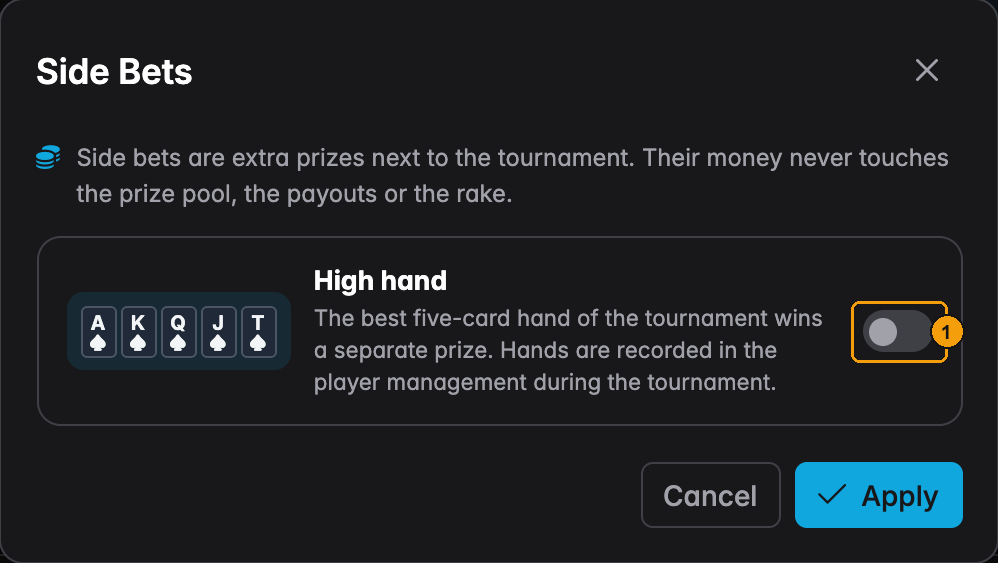
- Turn on High hand.
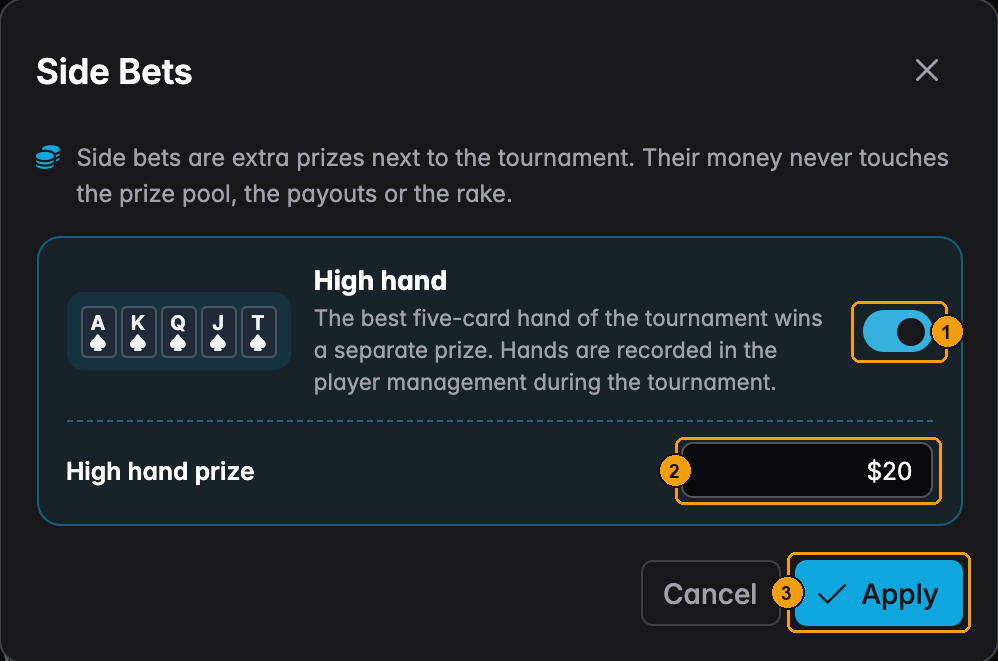
- The switch is on.
- High hand prize starts at the tournament's buy-in. Type another amount if you want. It has to be more than zero.
- Apply takes it into the schedule dialog. Nothing is saved until you press Open Public Lobby (or Save).
Changing it before the start
Open the lobby page, press the pencil on the tournament information card and the Edit tournament settings dialog opens. Its footer has the same Side Bets button. Change the prize, or turn the switch off to drop the side bet, then Save. See Editing the lobby while it is live.
This works until the tournament starts. After that, the side bet can no longer be switched on or off. Only the prize can change (see Changing the prize).
With a league
A club league can play the high hand all season. A director switches it on in the league's Advanced settings (see High hand side bet). When you then pick that league in the schedule dialog, the league section shows the same switch and prize:
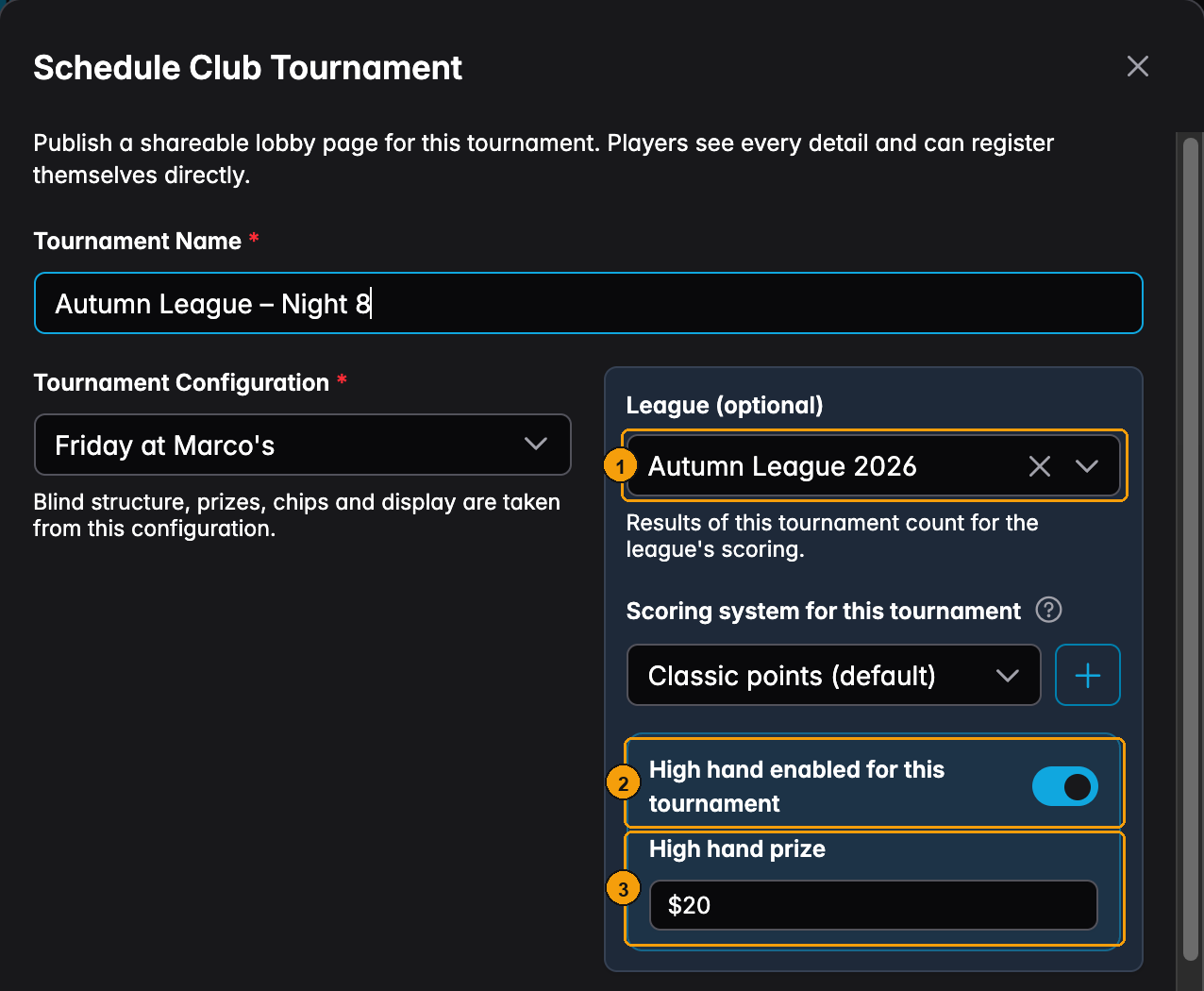
- Pick a league that plays the high hand.
- High hand enabled for this tournament turns on by itself, with the buy-in as the prize. Turn it off if tonight is the exception.
- High hand prize: change it here if the club agreed on another amount.
This is the same setting as the Side Bets button. Open that dialog and it tells you so:
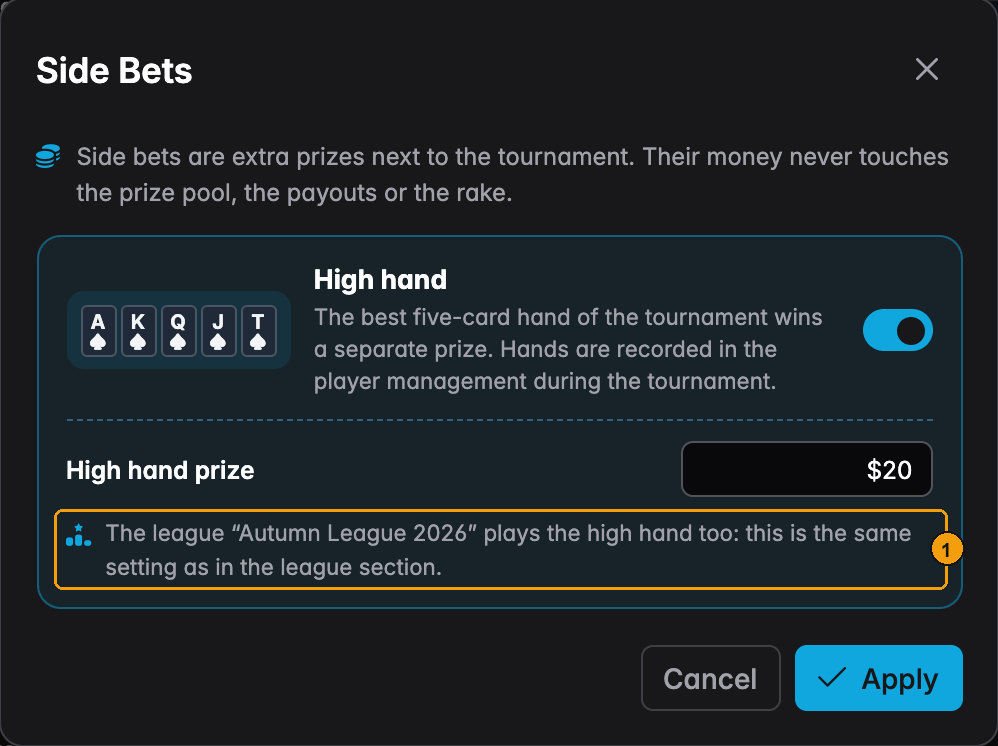
- The note names the league. Change the prize in either place, it is one value.
A league without the high hand. You can still give one of its tournaments a high hand through Side Bets. It then works like in any other tournament: the hands are recorded, the TV shows them and the winner is paid in the final standings. The league pages leave it out, though. It does not appear in the season's best hands or in the league's tournament list.
Recording hands
During the tournament, open Players. With a high hand there is an HH column:
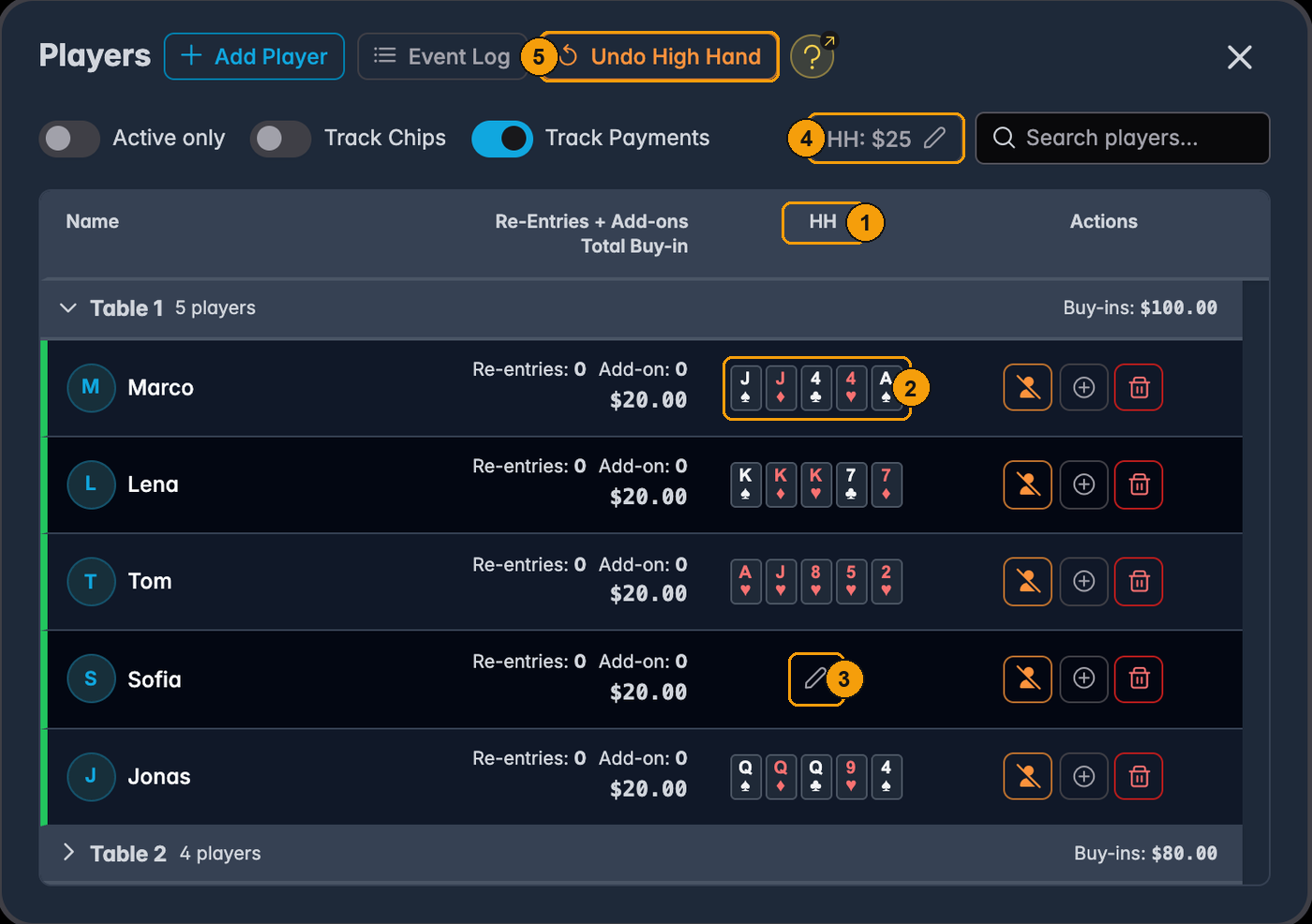
- HH is the high hand column.
- A recorded hand shows as five small cards. Click them to change the hand.
- A pencil means no hand yet. Click it to record one.
- HH: $25 shows the current prize. Click it to change the prize.
- Undo High Hand takes back the last hand you recorded, like any other undo.
Clicking a pencil or a hand opens the card picker:
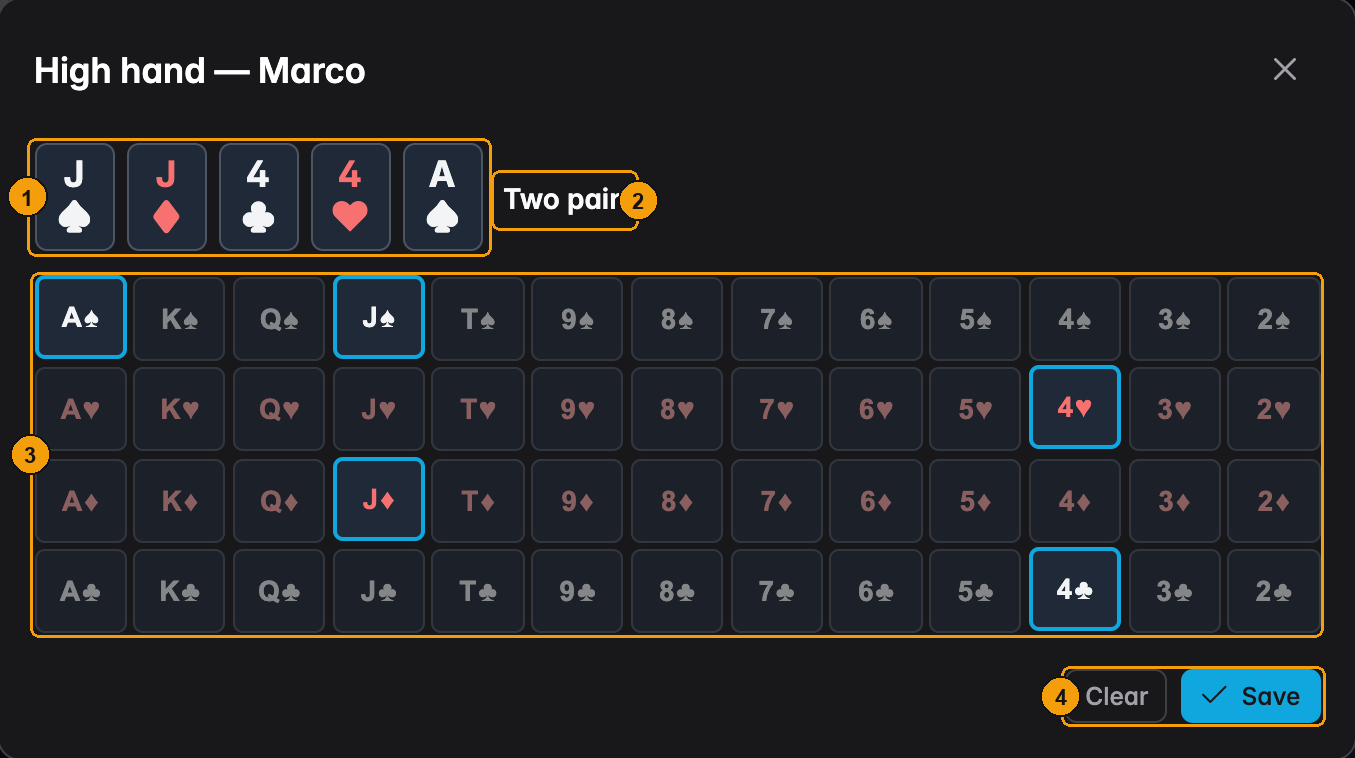
- The five cards you picked, in order.
- UHT names the hand as soon as five cards are picked, here Two pair.
- Click a card to add it, click it again to remove it. A card can only be picked once.
- Clear removes the player's hand. Save records it.
Record what the player actually made: the best five cards out of their two hole cards and the board. Each player has one hand, the last one you saved. So if Marco later shows a worse hand, leave his old one alone. Saving the new one would replace the better hand.
You can also record hands from the Tables & Lobby dialog. Click a seated player:
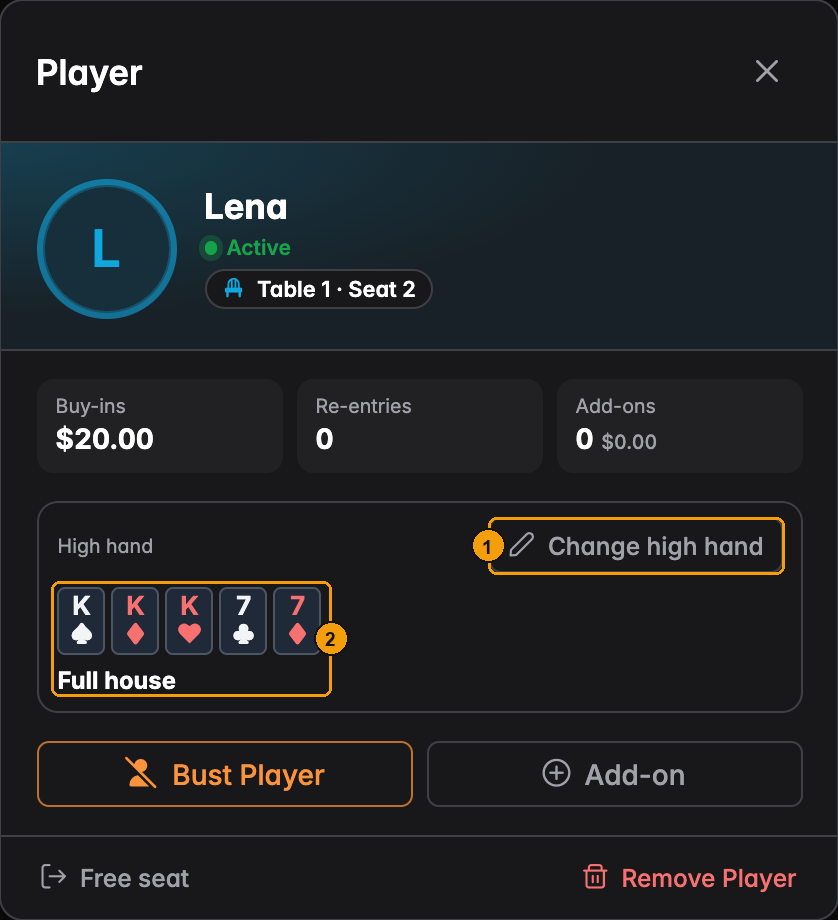
- Set high hand (or Change high hand once there is one) opens the same card picker.
- The recorded hand and its name.
On the Players & Lobby tab, every player shows their hand, and the current leader is marked:
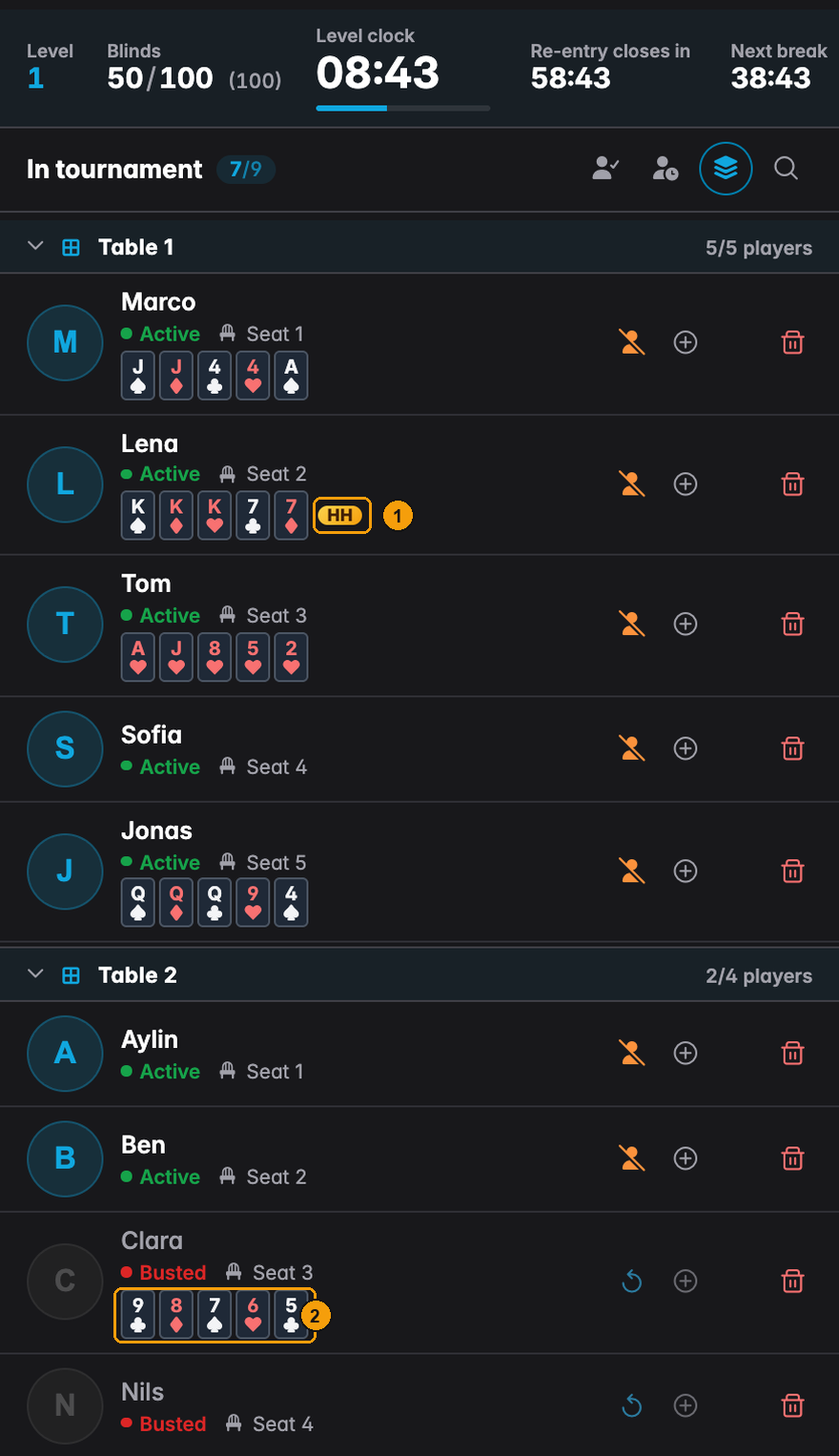
- HH marks the best hand right now. If two players hold equal hands, both get the mark.
- Clara is out, but her straight still counts.
Who wins
The best hand by normal poker rules: straight flush, four of a kind, full house, flush, straight, three of a kind, two pair, pair, high card. An ace-high straight flush shows as a royal flush. Every player who played counts, also the ones already out.
Equal hands share the prize. Two hands are equal when their ranks match card for card. Suits never break a tie. A $25 prize between two players is $12.50 each. If the amount does not split into whole cents, the leftover cents go to the better-placed player, one cent each.
Changing the prize
Click HH: $25 in the Players dialog (or in the Tables & Lobby dialog):
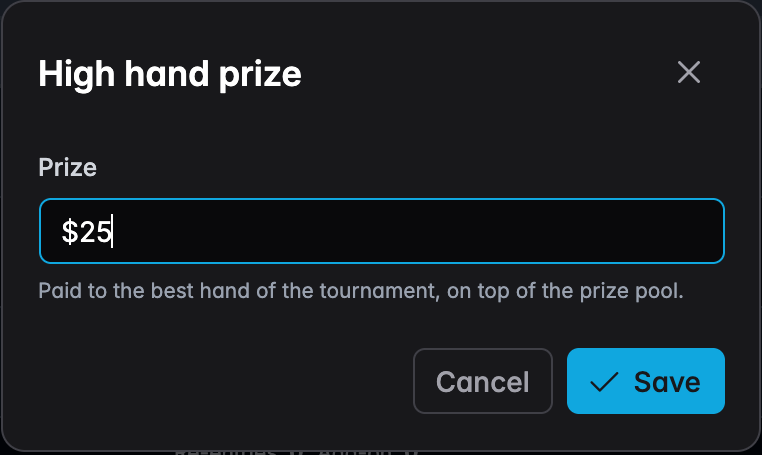
Type the new amount and Save. Useful when the jar fills up faster than expected, or when you add a few dollars of your own. Undo takes it back.
What the players see
On the TV. The display designer has a Side Bet component. It lists the best hands with the player's name and the cards, best first, with the prize in the title:
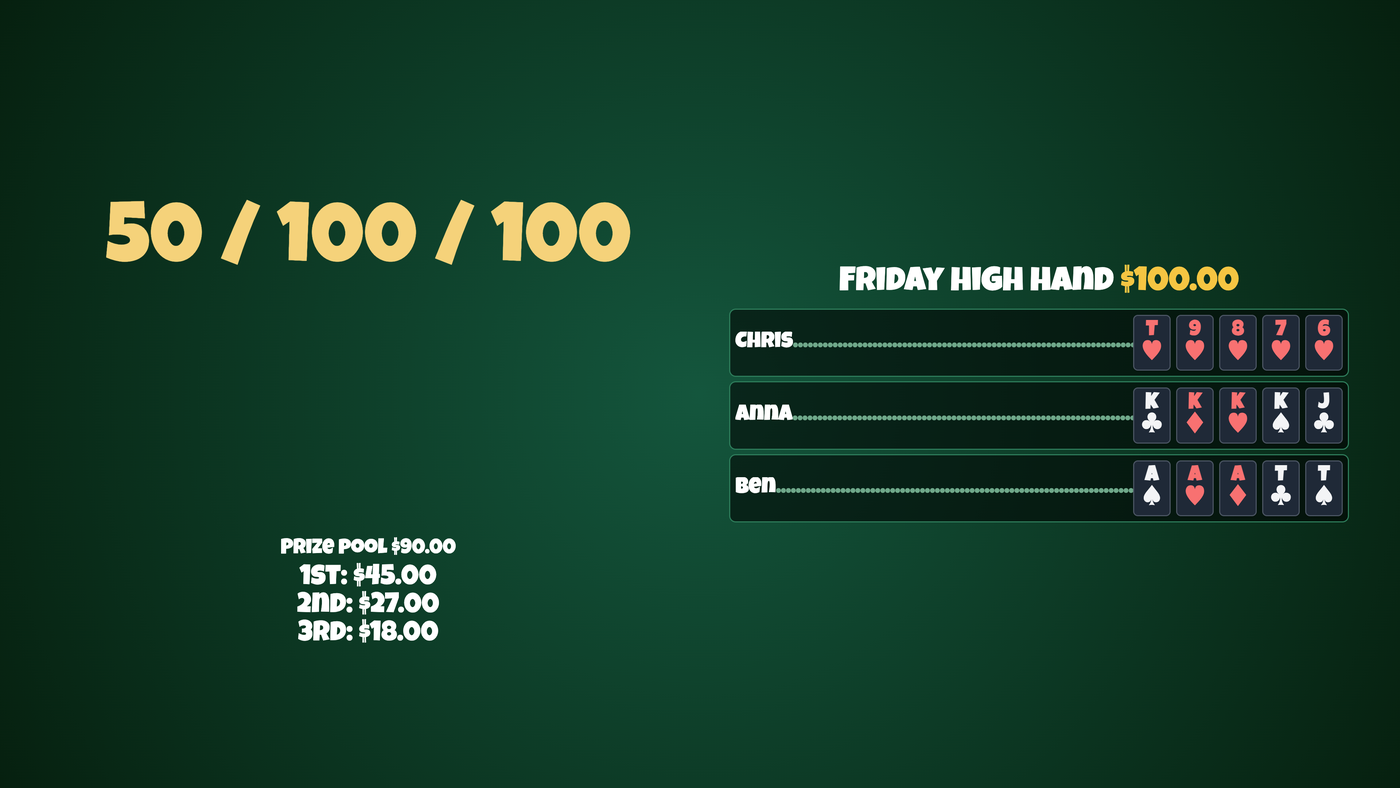
It stays empty in a tournament without a high hand, so you can keep one design for every night. Text components can also show the leader, the cards or the prize with the high hand placeholders.
In the lobby. The public lobby page does not show the side bet. Only you and your club staff see the prize in the lobby settings. If you want players to know about it before they register, put it in the tournament description.
When the tournament ends
The final standings add the prize to the winner's line:
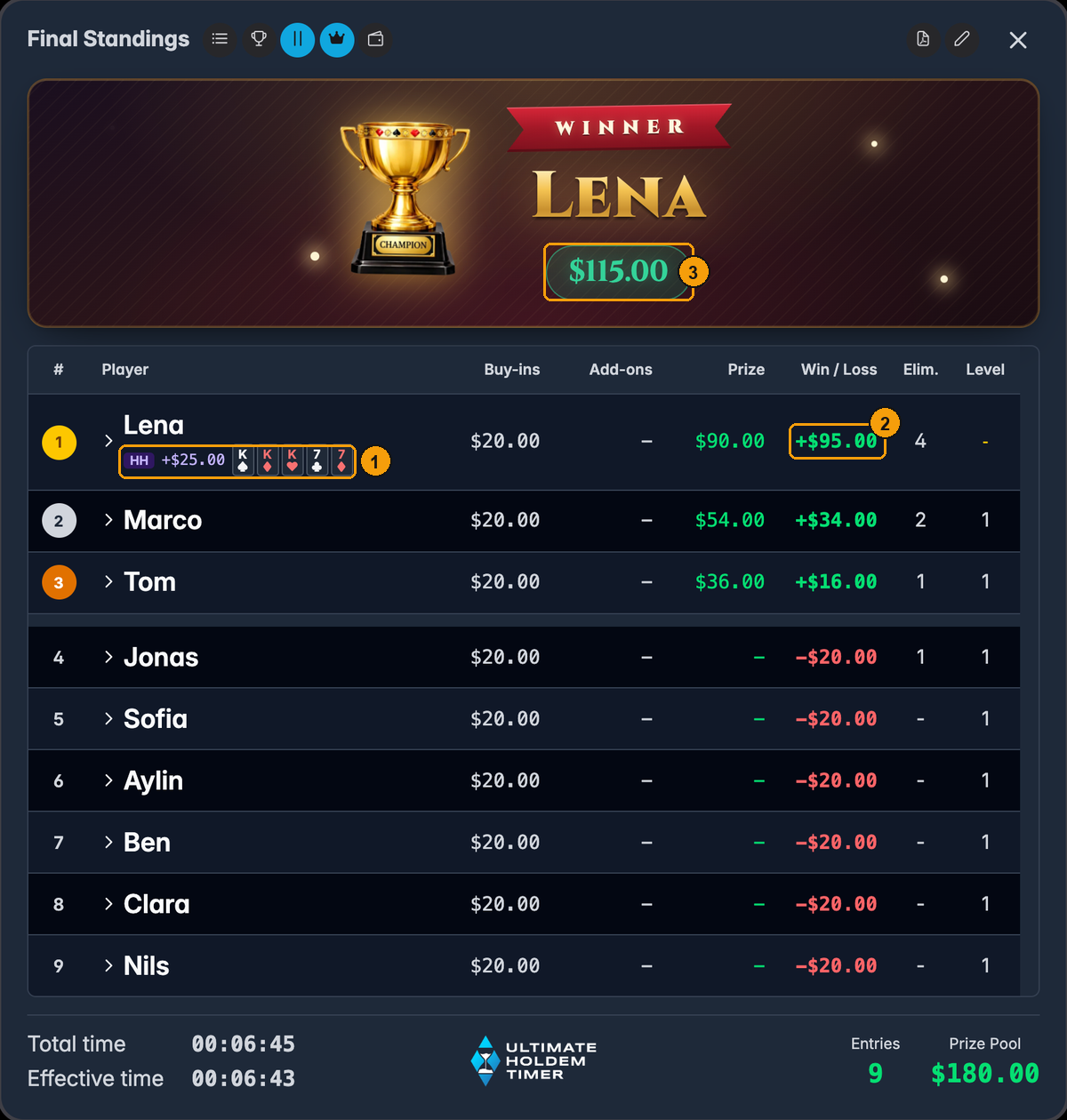
- HH +$25.00 and the winning hand, under the player's name.
- Win / Loss includes the high hand. Lena paid $20, won $90 and the $25 high hand: +$95.
- The winner banner shows the total too.
The Prize column is still the pool money only, so whoever pays out can see the $25 comes from somewhere else. The payment overview marks the amount with HH as well.
If you use the tournament report, it has a high hand card with the winning hand, the winner and the prize (marked as not part of the prize pool), an HH tag in the standings and a high hand line after the payouts.
Questions
Does it change the payouts? No. The prize pool, the payouts, the rake and the prize list are the same with or without a high hand.
Can a busted player win it? Yes. A hand counts from the moment you record it, whatever happens to the player afterwards.
Two players have the same hand. Who gets it? Both. The prize is split evenly. Leftover cents go to the better-placed of the two.
Can I add a high hand after the start? No. Before the start, turn it on with Side Bets in the lobby settings. Once the tournament runs you can only change the prize, with the HH prize button.
I made a mistake recording a hand. Click the hand and pick the right cards, or press Undo High Hand straight away. Clear in the card picker removes the hand completely.
Does UHT track who paid into the jar? No. Collecting the side bet money is up to you.
Next
- Components: Side Bet – putting the hands on the TV
- Leagues and leaderboards – a high hand for the whole season
- Managing players – the Players dialog
- Opening a lobby – scheduling the tournament