Mystery bounties
In a mystery bounty tournament nobody has a price on their head. Instead, part of every buy-in goes into a shared chest of prizes. Knock someone out and you draw one of those prizes at random, and it is revealed on the TV in front of the whole room. It might be the big one, it might be small change, and once in a while it's nothing at all.
It's the most theatrical way to run a bounty night. Every knockout becomes a small event: people stop their hands to watch the chest open.
Read Bounty tournaments first. It explains the standard and progressive formats, and everything on that page about tracking players and naming eliminators applies here too.
How the money splits
The buy-in is split exactly like a standard bounty tournament:
- Part goes to the prize pool, paid out to the top finishers as usual.
- Part goes to the bounty prize pool, which pays for the mystery bounties.
The difference is where the bounty money ends up. In a standard tournament it sits on each player's head. Here it all goes into one pool, and players carry no personal bounty. Their Bounty column in the players list stays at $0.00 all night.
So ten players at $20 with a 50% bounty share means a $100 prize pool and a $100 bounty pool. You then decide how that $100 is cut into prizes: one $30 prize, two at $15, three at $10 and so on. Re-entries add their bounty share to the pool too.
Every cent of the bounty pool is paid out by the end of the night. See The end of the tournament.
Setting it up
Mystery bounties live in the tournament wizard, step 6, Track Players & Bounties.
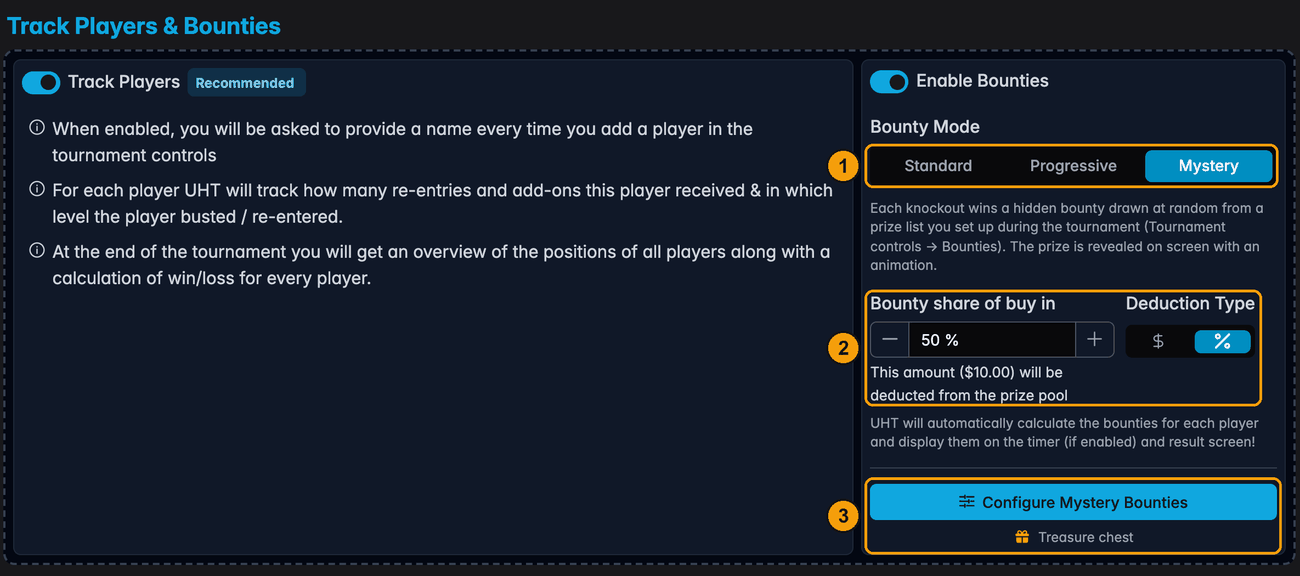
- Bounty Mode: Mystery. Turn on Enable Bounties, then pick Mystery.
- Bounty share of buy in. How much of each buy-in goes into the bounty pool, as a percentage or a fixed amount. It works exactly like it does for standard bounties.
- Configure Mystery Bounties. Opens the setup dialog. The line under the button shows the animation you picked.
As with every bounty format, keep Track Players on: a bounty is paid to a person, so every knockout has to name who did it.
Configure Mystery Bounties
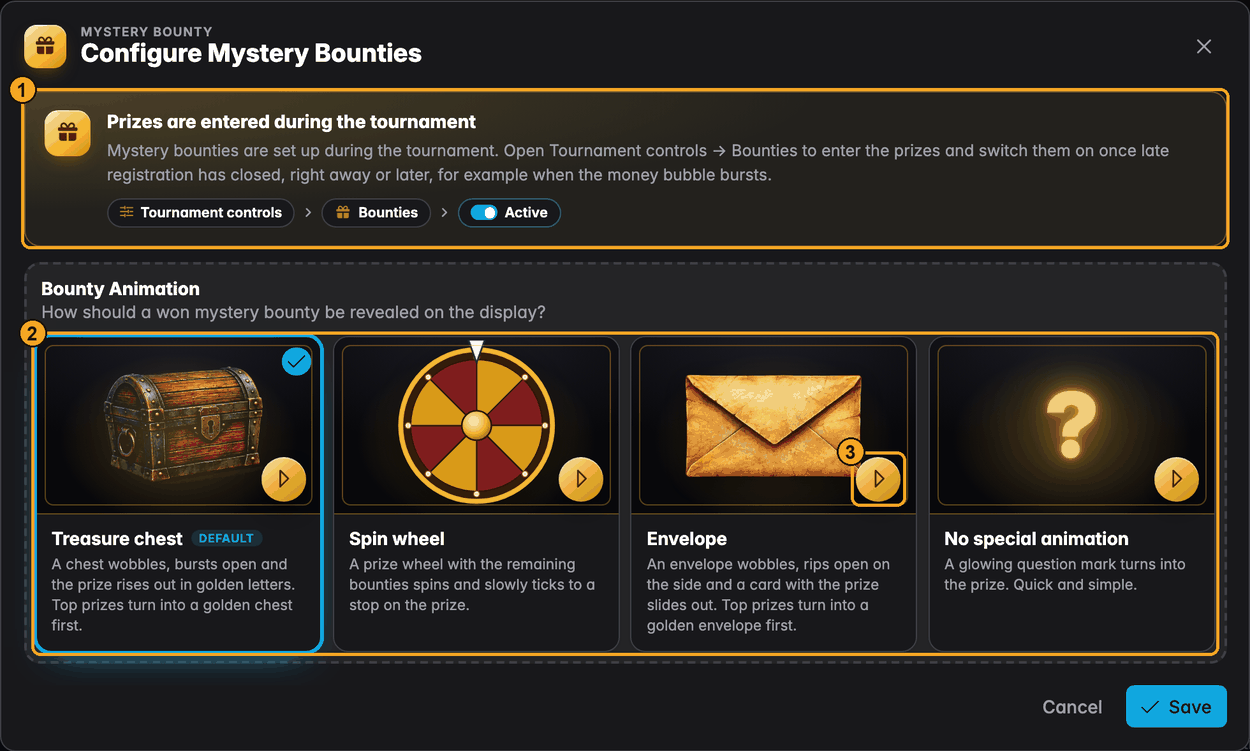
- The prizes are not set here. You enter them during the tournament, in Tournament controls → Bounties, when you know how many players actually came and how big the pool really is. The dialog shows you where to find them.
- Bounty Animation. How a won bounty is revealed on the display:
- Treasure chest (the default). A chest wobbles, bursts open and the prize rises out in golden letters. Top prizes turn into a golden chest first.
- Spin wheel. A prize wheel with the remaining bounties spins and slowly ticks to a stop on the prize.
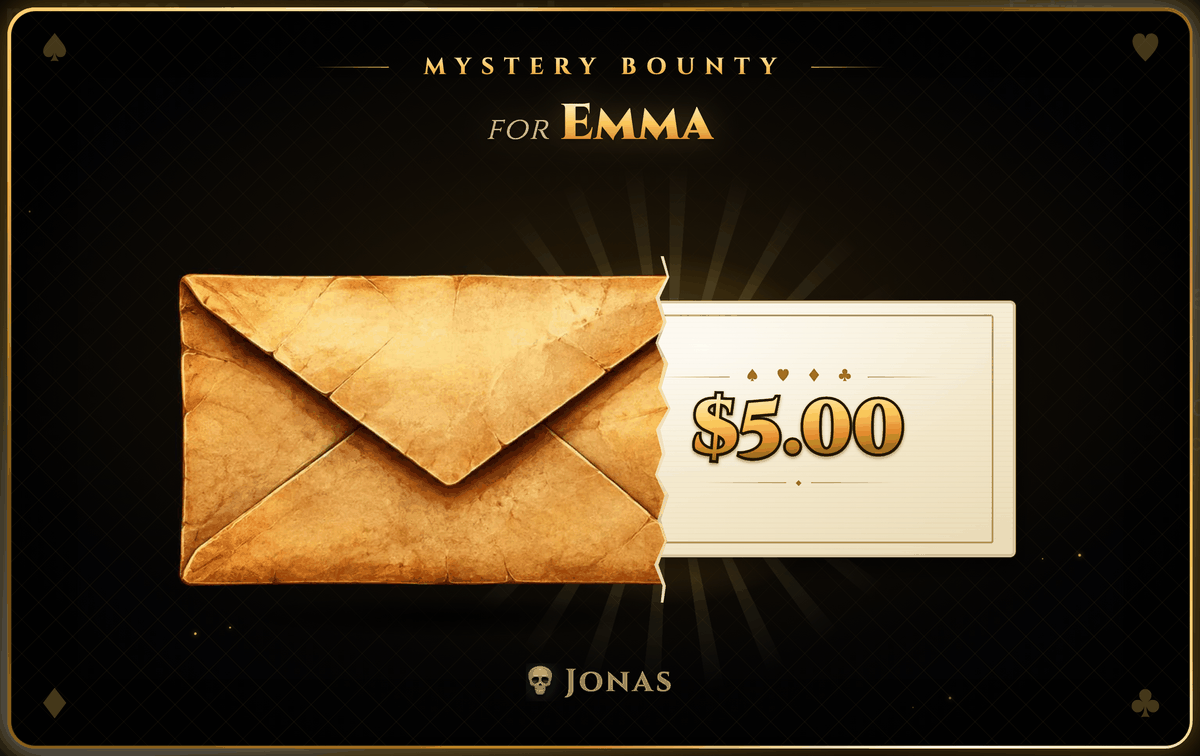
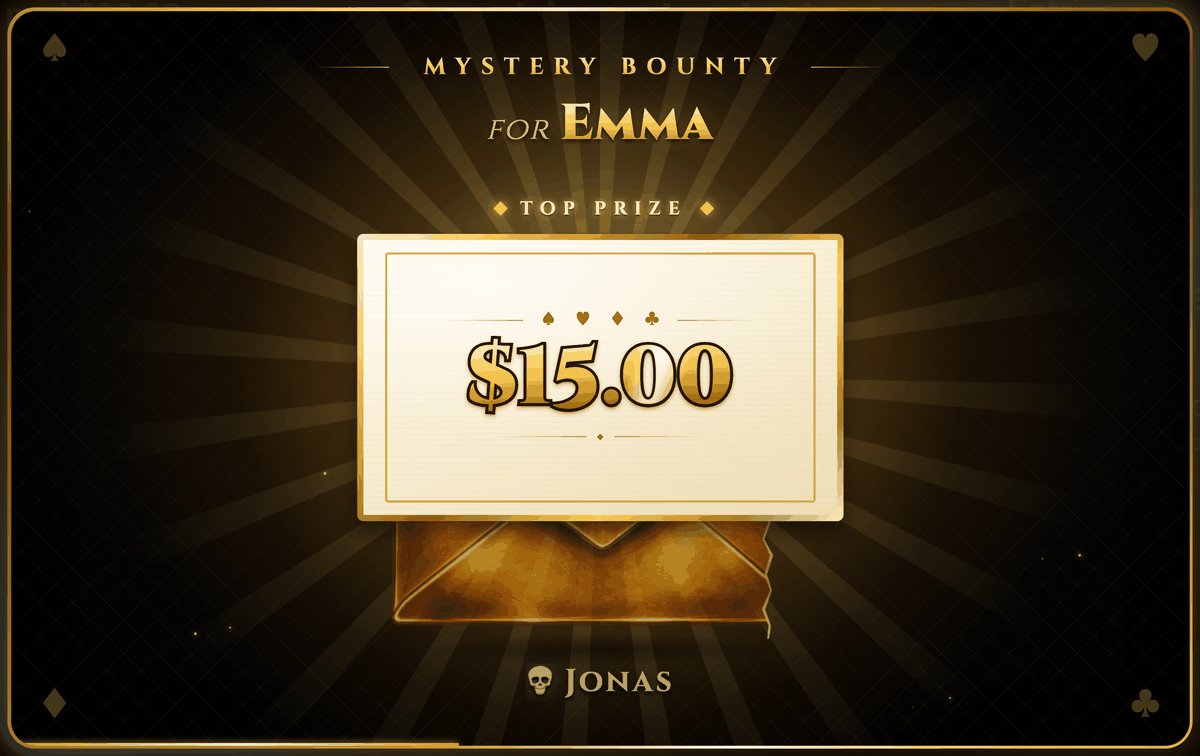
- Envelope. An envelope wobbles, rips open on the side and a card with the prize slides out. Top prizes turn into a golden envelope first.
- No special animation. A glowing question mark turns into the prize. Quick and simple.
- Click to preview. The play button on each picture plays that animation with example prizes, so you can see it before you choose. The preview only runs on your screen. It doesn't touch any tournament.
Press Save, finish the wizard and create the tournament as usual.
Entering the prizes: the Bounties dialog
In a mystery tournament the tournament controls have a Bounties button in Player Management. It replaces the quick + Player button, so add players through Players instead.
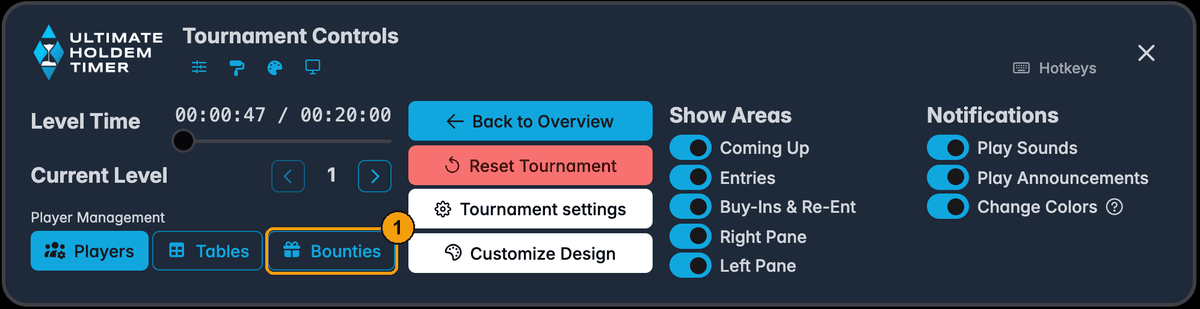
Open it any time before the bounties are activated to enter or change the prizes:
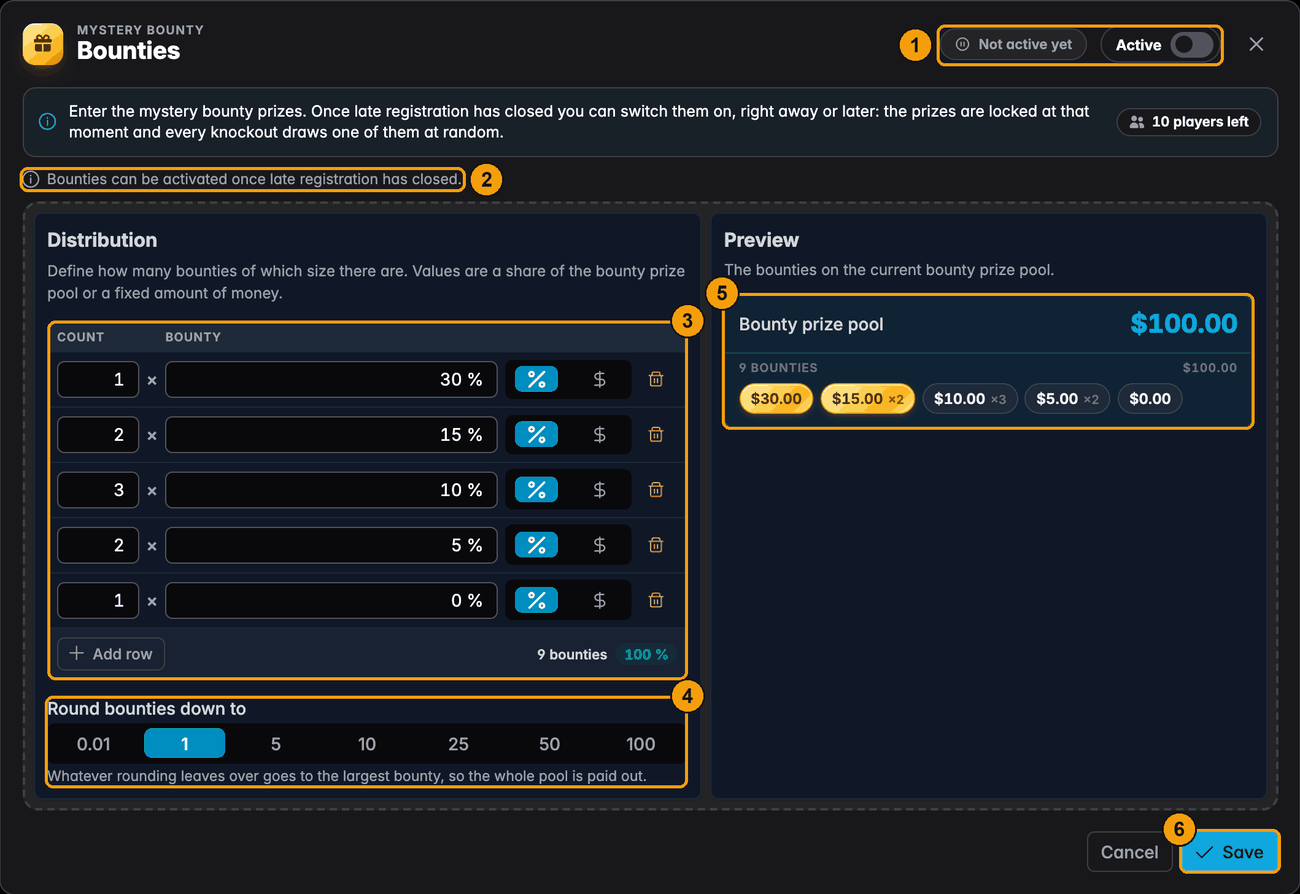
- Status and the Active switch. Not active yet until you switch the bounties on.
- Why the switch is greyed out. It can only be used once late registration has closed, and only while the prizes fit the pool. The line under the header says why. See Activating the bounties.
- The prize rows. Each row is count × bounty: "2 × 15%" means two prizes, each worth 15% of the bounty pool. Use the % / $ buttons beside a row to enter a share of the pool or a fixed amount of money instead. Add row adds another size, and the bin removes one. The footer counts the bounties and shows how much of the pool the rows use.
- Round bounties down to. Rounds every prize down to a convenient amount, so nobody gets $13.37. Whatever rounding leaves over goes to the largest bounty, so the whole pool is still paid out.
- Preview. The actual prizes on the bounty pool as it stands right now. Gold chips mark the top prizes. They get the golden chest.
- Save keeps your rows. You can come back and change them as often as you like until the bounties are activated.
A few things worth knowing:
- Your prize distribution is the starting point. The first time you open the dialog, the rows are copied from the tournament's prize distribution (50% / 30% / 20% becomes one prize of each). Change them to whatever you like.
- $0 prizes are allowed. A "1 × 0%" row puts a dud in the chest. It's drawn and revealed like any other prize. See Empty prizes.
- Prizes can't add up to more than the pool. If they do, the dialog says so and the bounties can't be activated until you reduce the rows. Less than the pool is fine. Any part of the pool not assigned to a row goes to the largest bounty.
- The pool can still grow. With percentages the amounts follow the pool, so the preview changes as players buy in. They are only fixed when you activate the bounties.
- Plan one prize per knockout. With ten players there are at most nine knockouts. Prizes that are never drawn aren't lost, though: the winner gets them at the end.
Activating the bounties
Mystery bounties only pay once they are active, and they can only be activated after late registration has closed. Until then the pool is still growing and new players could still join, so the prizes can't be fixed yet. Knockouts before that pay no bounty.
Late registration ends with the Final Re-Entry Level you set in the wizard (step 4, Blind Structure). New players can join until then, even if re-entries are switched off.
When late registration closes
The moment the last late-registration level ends, UHT pauses the clock and opens the Bounties dialog:
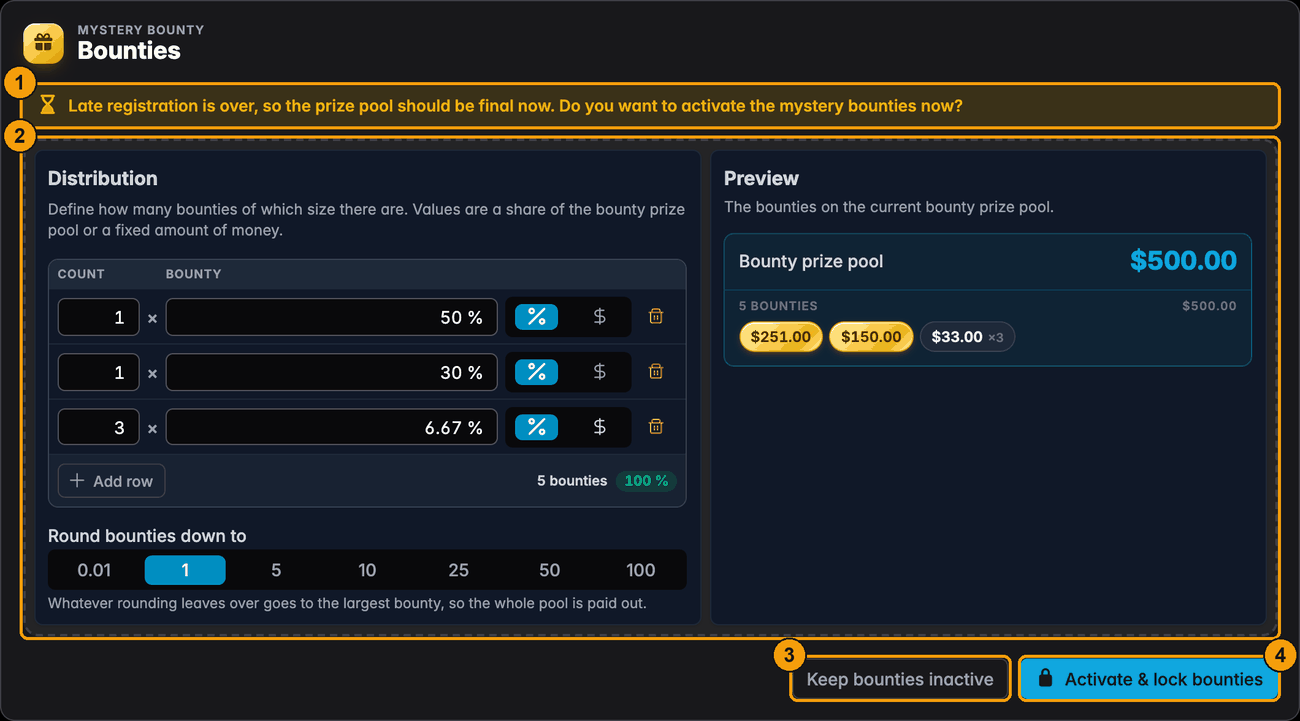
- The question. Late registration is over, so the prize pool should be final now: do you want to activate the mystery bounties now? The dialog can't be closed, and the clock can't be resumed, until you answer with one of the two buttons.
- The prizes. Still editable, with the preview on the final pool. Check them one last time.
- Keep bounties inactive leaves the bounties off and lets you resume the tournament. Switch them on later with the Active switch.
- Activate & lock bounties asks for a confirmation first. If the prizes add up to more than the pool (or there are none), the button is greyed out and the reason is shown next to it.
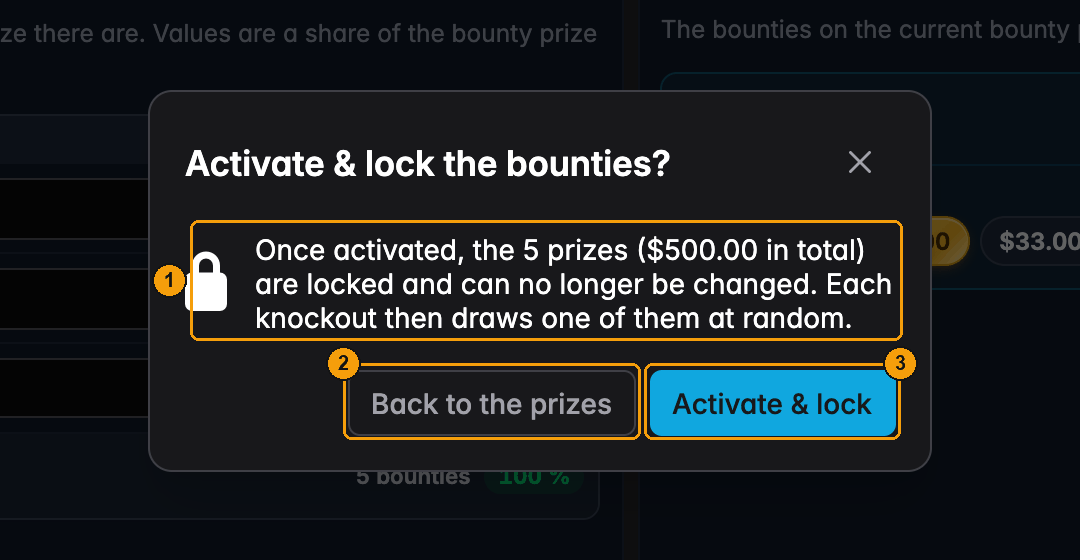
- What happens. Once activated, the prizes are locked and can no longer be changed. Each knockout then draws one of them at random.
- Back to the prizes closes the confirmation. Nothing is locked, and you are back in the dialog.
- Activate & lock fixes the prizes, starts the draws and closes the dialog. From now on every knockout draws a bounty.
Activating locks the prizes for the rest of the tournament. Check the amounts, especially the largest ones, before you confirm. You can't edit them afterwards.
The dialog doesn't resume the clock for you. Press play when the table is ready.
Starting later, or pausing the draws
You don't have to start the draws when late registration closes. A popular variant is to start them when the money bubble bursts, so the bounties are only played for in the money. Answer the prompt with Keep bounties inactive, then switch Active on in the Bounties dialog when you get there. You get the same confirmation, and the prizes are locked only when you press Activate & lock. Back to the prizes leaves the switch off.
Once the bounties are locked, the Active switch pauses and resumes the draws. Knockouts while paused draw nothing, and the prizes stay as they are. The status shows Paused with the number claimed so far.
After activating, the dialog becomes a board of the prizes:
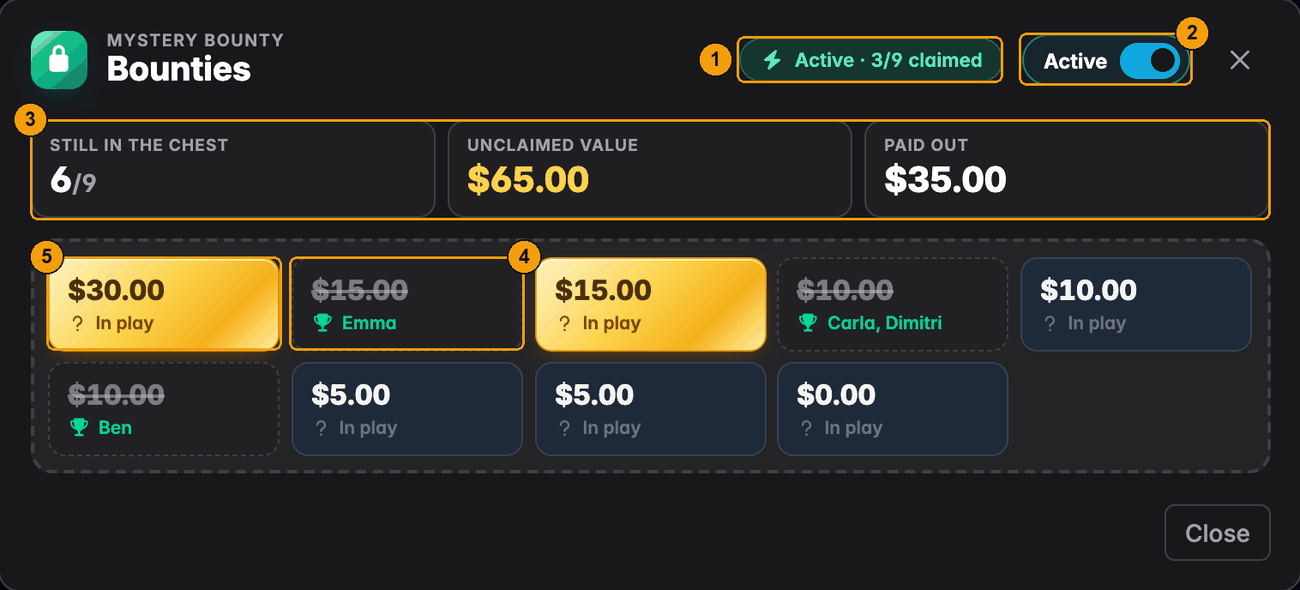
- Status. Active (or Paused) and how many have been claimed.
- Active. Pauses and resumes the draws.
- Still in the chest, Unclaimed value, Paid out. How much is left.
- A claimed prize, struck through, with who won it. A split knockout lists both names.
- A prize still in play. Gold chips are the top prizes.
During play
Bust players exactly as you would in any bounty tournament: open Players, press the bust button and pick who eliminated them. When you press Confirm Bust, UHT draws one of the unclaimed prizes at random and the reveal opens.
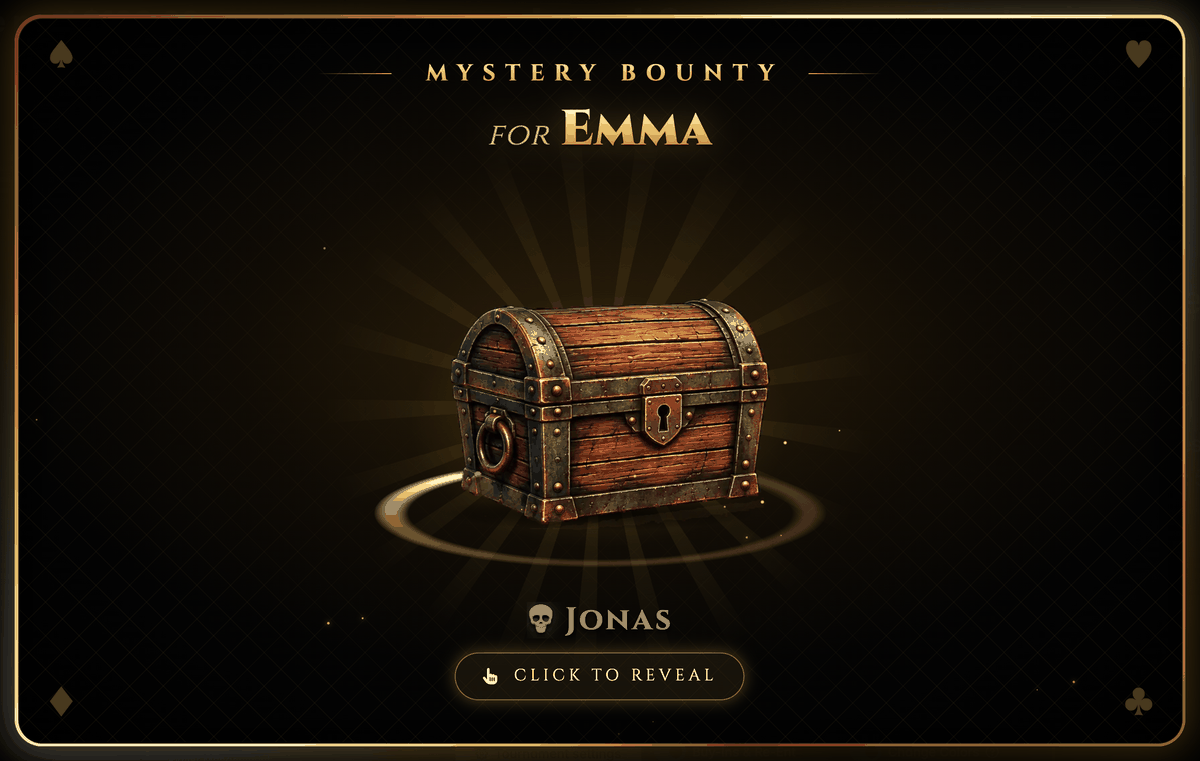
The reveal covers most of the screen. At the top it says who wins the bounty ("for Emma"), at the bottom who went out ("💀 Jonas"). It waits for a click, so you can build the suspense: click the frame or Click to reveal and the animation plays.
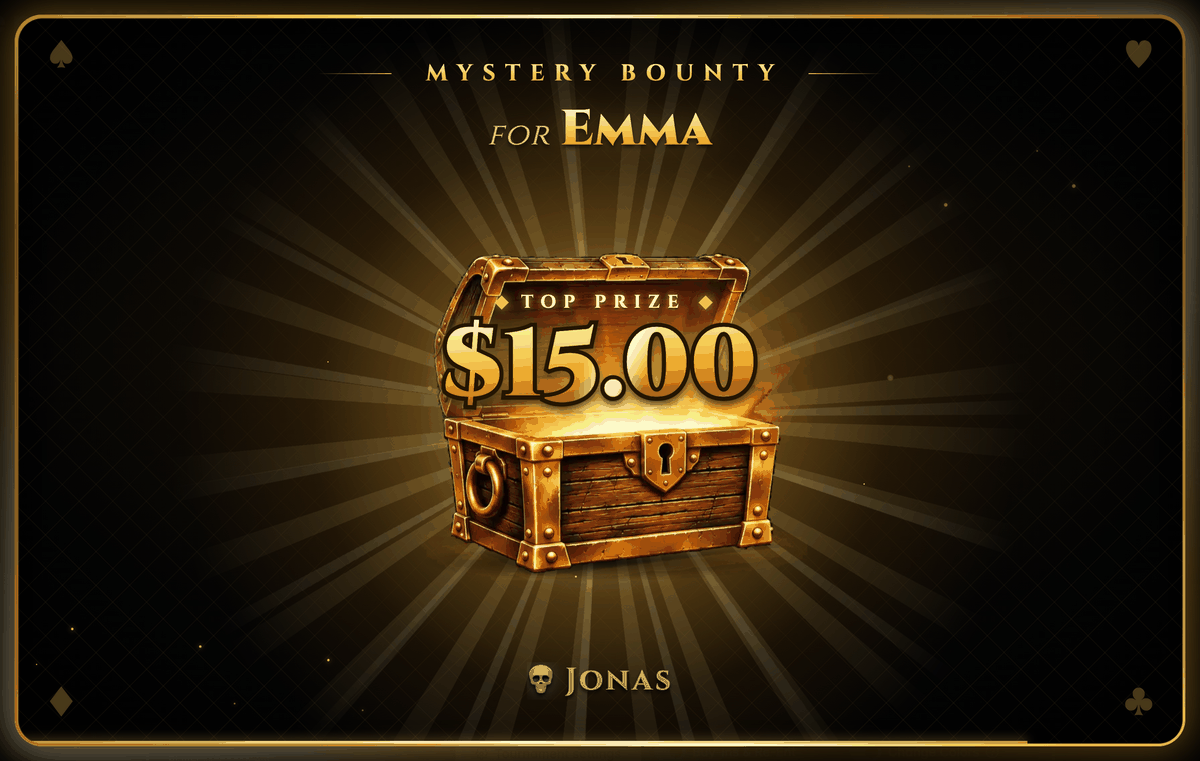
The prize stays on screen for about 10 seconds, or until you click again. Top prizes (roughly the top 30% of the prizes) explode into a golden chest and are marked Top prize.
The other three animations, the spin wheel, the envelope and the question mark:
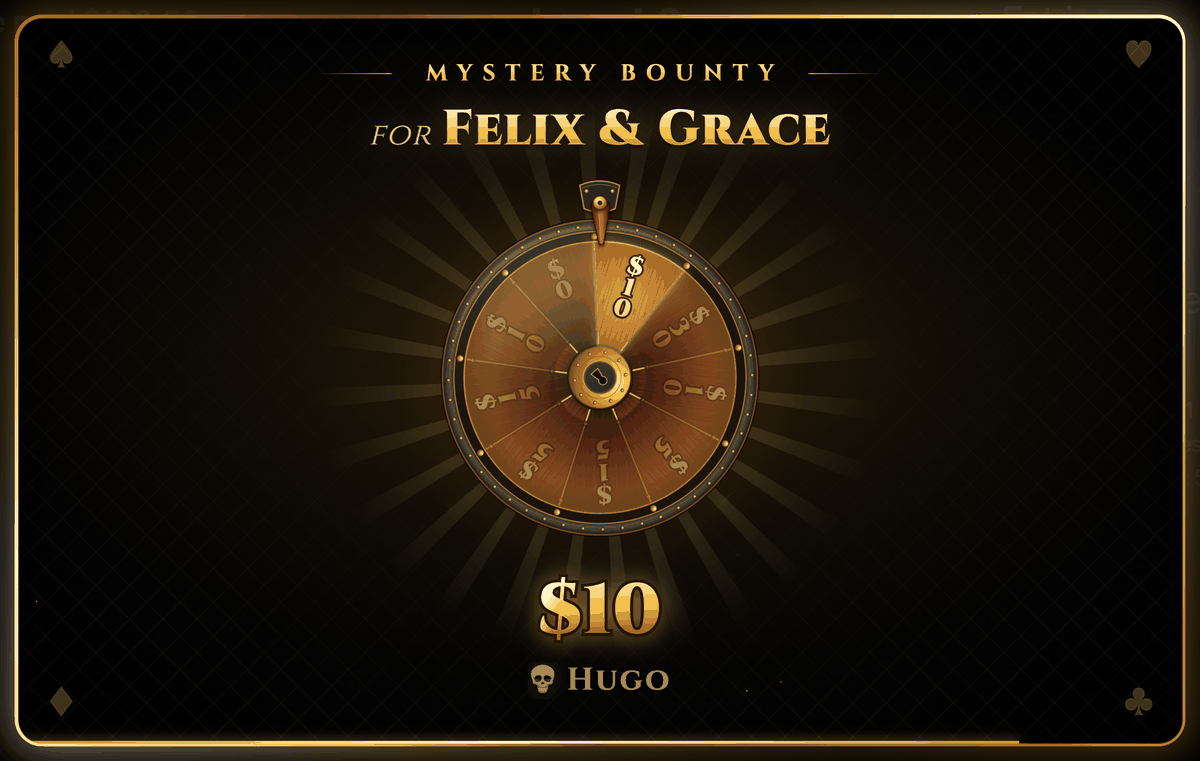
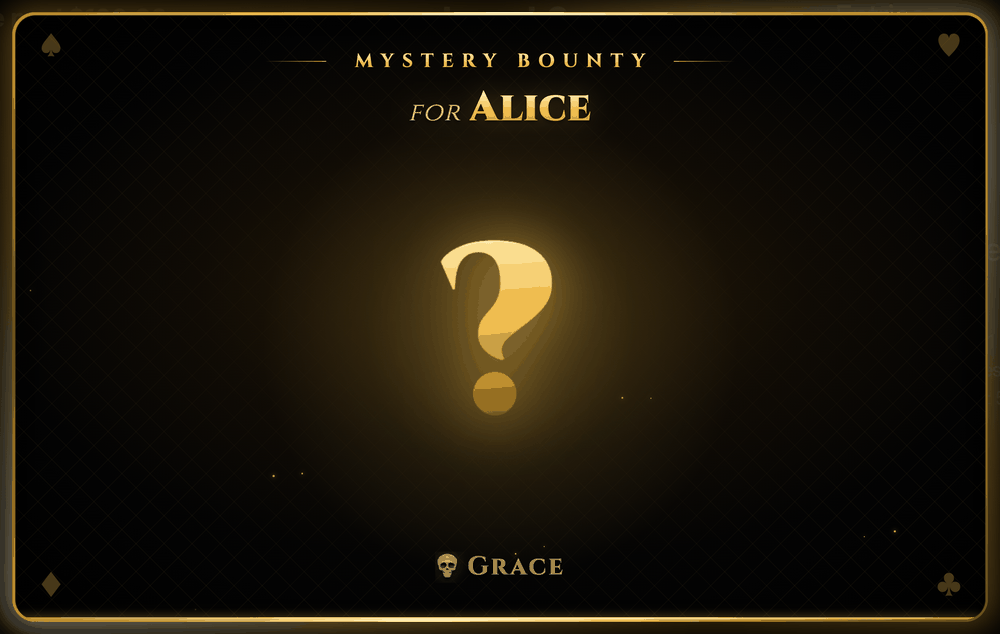
The wheel shows the prizes still in the chest (up to 24 slices), spins, and slows down onto the prize that was drawn. The draw happens before the wheel starts, so the wheel always lands on the drawn prize, however close it looks.
The envelope tears open along its right edge and a card slides out slowly until the prize can be read. Then the card flies in front of the envelope. A top prize turns the envelope gold first, and its card gets a gold edge and the Top prize label.
Split knockouts
If you pick more than one eliminator, one bounty is drawn and split between them, like Felix and Grace above. An odd cent goes to the first eliminator.
Empty prizes
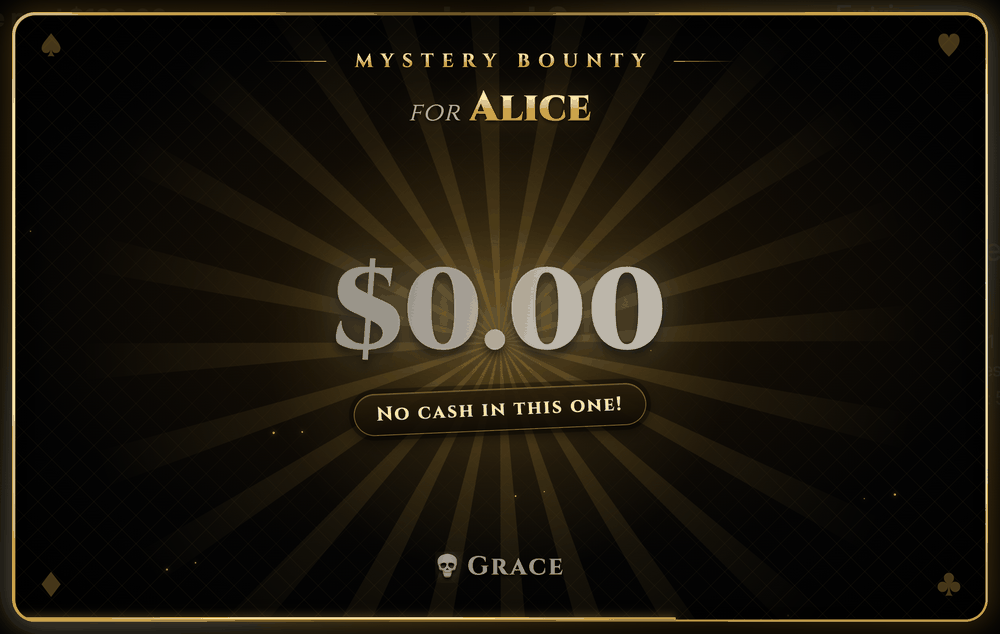
A $0 prize is revealed like any other, never as a golden chest or envelope, with No cash in this one! underneath. It counts as claimed, so it won't be drawn again.
Mistakes
Undo Bust, or deleting the knockout in the event log, puts its bounty back in the chest. The draw is stored with the knockout, so changing something else in the event log never re-draws a prize that was already revealed.
A knockout before the bounties are active, while they are paused, or after every prize has been drawn pays no bounty. UHT shows the normal elimination notice instead.
The end of the tournament
The bounty pool is always paid out in full:
- The final knockout pays its drawn bounty as usual, and the winner also receives every prize still unclaimed.
- If the bounties were never activated, the winner receives the whole bounty pool.
- A chop splits the unclaimed prizes (or the whole pool, if never activated) evenly among the players in the deal. That's on top of the deal itself, which only divides the prize pool. See Chopping the prize pool.
The final standings wait until the last reveal has been closed, so they never pop up under the chest:
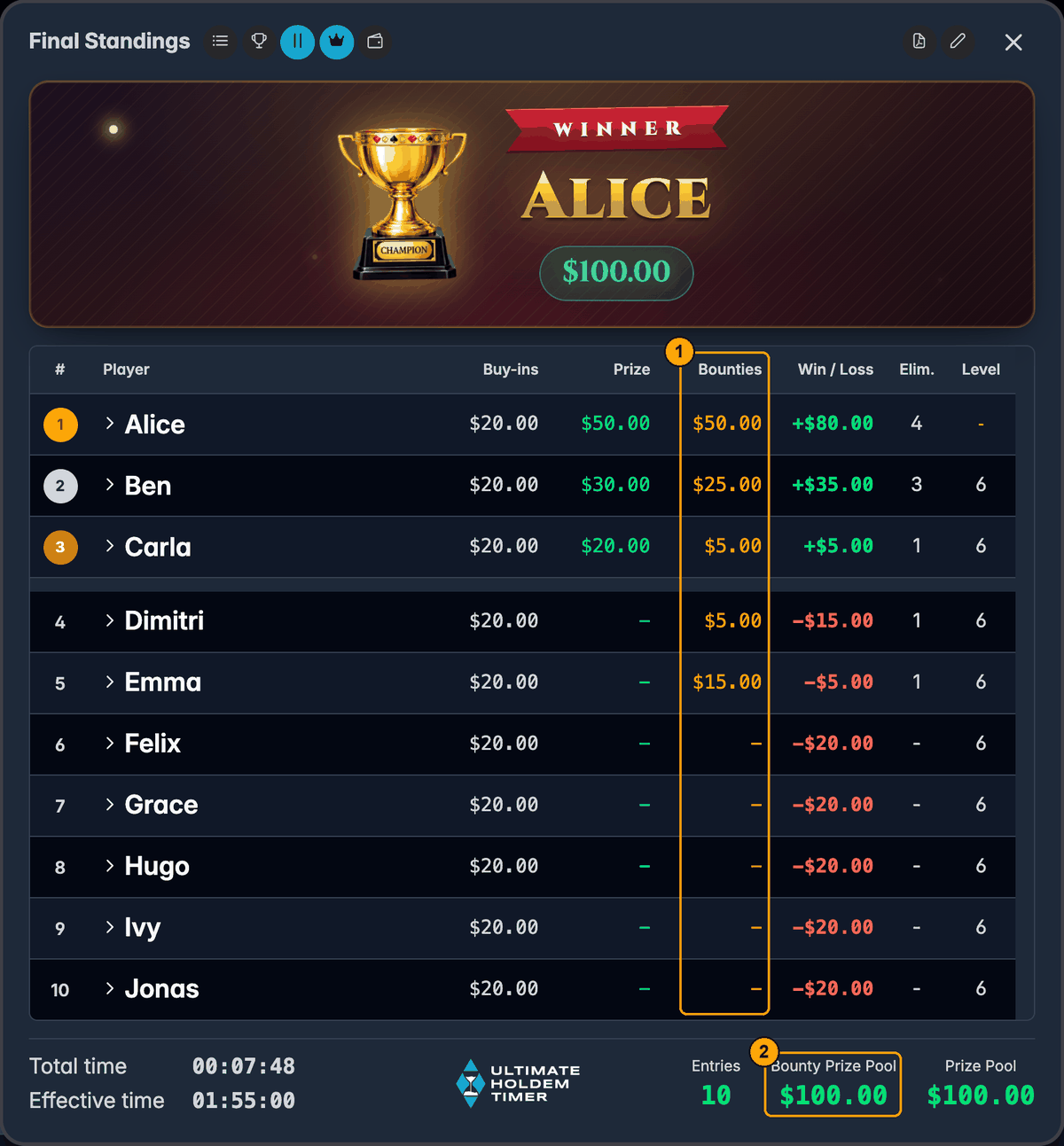
- Bounties. What each player collected, leftover prizes included.
- Bounty Prize Pool. The column adds up to exactly this amount.
Multiple screens and displays
With multi monitoring, the reveal opens on every connected display at the same time. Only the controller can click it. The displays follow the controller's clicks, and a display that joins mid-reveal picks it up where it is. The late-registration prompt also only appears on the controller.
To show the prizes on the TV all night, add the Bounty Display component to your design and set its type to Mystery (or leave it on Auto). It lists the locked prizes, largest first, and strikes through each one as it's claimed. See Display designer components.
The reveal plays the Mystery Bounty Won sound, which you can change or switch off in the wizard's Sounds & Announcements step.
Before your first mystery bounty night
- Set late registration on purpose. The bounties can't start until it closes. If you play without late entries, set the Final Re-Entry Level low.
- Enter the prizes before you start. Open Bounties while players buy in. When late registration closes you only need to check them and activate.
- Put in fewer prizes than knockouts, or exactly as many. More prizes than knockouts isn't wrong, the winner just takes the rest home at the end. Say so at the table.
- Pick the animation for the room. The chest, the wheel and the envelope are made for a big TV and a crowd. On a small screen, or with lots of knockouts, the question mark is quicker.
- Explain the $0 prize if you have one. It's funny the first time and only if people know it's in there.
- Have cash to hand. Bounties are paid at the knockout, not at the end.
Next steps
- Bounty tournaments: standard and progressive bounties
- Managing players: adding, busting and re-entering players
- Multi monitoring: show the reveal on every screen
- Something not working?