Example prompts
You do not need to know anything about UHT's file formats — that is the point. Describe what you want the way you would describe it to a person, mention that it should go in your UHT account, and let the agent work out the rest.
Three habits make the results noticeably better:
- Say "in my UHT account". That tells the agent to reach for the UHT tools rather than write a file to disk.
- Let it read the schema first. Good agents do this on their own; if yours dives straight in, add "read the UHT schema for this content type first". The server documents every format precisely, and agents that read it produce designs that load flawlessly.
- Iterate. The first draft is a starting point. "Make the timer bigger", "warmer colors", "add a break screen" — the agent updates the same item in place.
The landing page has these starter prompts with a copy button next to each:
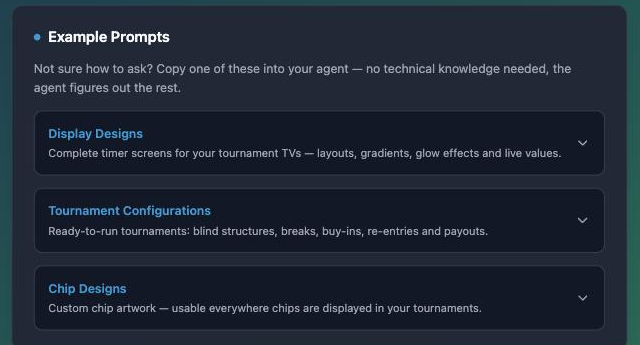
Display designs
Create a new display design in my UHT account. I want a dark 4K look called "Midnight Neon": a huge level timer in the middle with a cyan neon glow, the current blinds and ante right below it, a slim bar showing the next blinds and the time until the next break, the tournament name at the top, and the prize pool and players left in a bar at the bottom. Please also add a separate break screen with its own background and a big BREAK countdown.
Or start from something you already have:
Look at the display design called "Club Night" in my UHT account and create a variant of it with a green felt color scheme and a bounty leaderboard on the right side.
The design appears under Display Designer in the app, where you can open it, preview it with a running tournament and fine-tune anything by hand — see the designer section for what is possible.
Tournament configurations
Set up a new tournament configuration in my UHT account called "Friday Night Freezeout" for about 30 players: 20 euro buy-in, 25000 starting stack, 20-minute levels starting at blinds 100/200 with a big blind ante, a 15-minute break every 6 levels, late registration open until level 8, no rebuys or add-ons, and the prize money split 50/30/20 between the top three places.
Structure surgery works too:
Get my tournament configuration "Sunday Deepstack" from my UHT account and rebuild the blind structure so the tournament finishes in roughly 5 hours instead of 7, keeping the same starting stack. Update it in place.
Agents are excellent at layouts and structures and occasionally overconfident about payout math. Glance over the buy-in, prize distribution and bounty amounts before the real tournament starts — they are all editable in the app.
Chip designs
Design a custom poker chip set for my UHT account called "Royal Ceramic". The chips should look like elegant ceramic casino chips with a classic edge-spot pattern, on a transparent background, in all nine chip colors: white, red, blue, green, pink, black, purple, yellow and orange.
One caveat: a chip design is ultimately artwork, so the agent needs to be able to
produce an image (by generating one or by working from a picture you give it). An agent
without any image ability can still read and rearrange chip designs, but not draw a new set
from nothing. Once the agent has the artwork, getting it into UHT's format
is not its problem: the server's convert_image_to_data_uri tool turns any image — an
uploaded picture, a generated one, or a plain URL — into the embeddable form. The same
works for display designs: "use my club logo from https://… in the design". What the nine colors mean and how the chips are used in a tournament is
covered in Import your chips.
Housekeeping
The read-only tools are useful on their own:
How full is my UHT account storage, and what are my ten largest saved items?
List my tournament configurations and summarize how their blind structures differ.
Not connected yet? Connect your agent takes about a minute.