What the MCP server is
UHT has an MCP server. In one sentence: it lets an AI agent — Claude, ChatGPT, GitHub Copilot and friends — work inside your UHT account on your behalf, so you can say "build me a dark 4K timer screen with a neon glow" and find the finished display design waiting in your account.
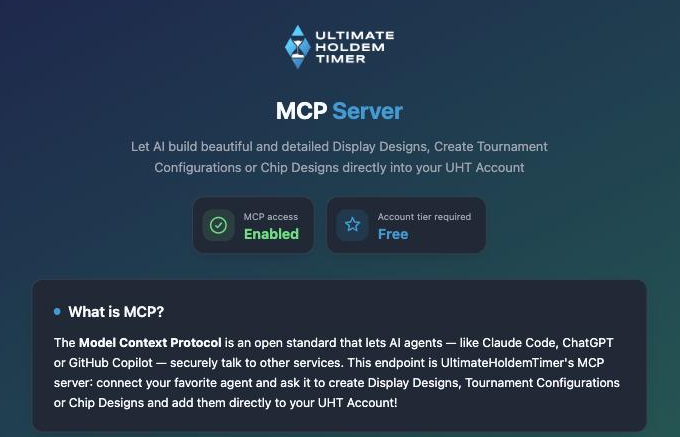
MCP (the Model Context Protocol) is an open standard for exactly this: it gives an AI agent a safe, well-defined way to talk to another service. Every major agent speaks it. UHT's server lives at:
https://ultimate-holdem-timer.com/mcp
Open that address in a normal browser and you get a friendly landing page with the same setup instructions as this section — handy to send to someone else.
What an agent can do with it
The server exposes your three kinds of saved account content. For each one the agent can list what you have, read any item in full, create new items and update existing ones:
| Content | What it is | Typical ask |
|---|---|---|
| Display designs | Complete timer screens for your tournament TVs, built on the display designer's format — layouts, gradients, effects, live values | "Design me a break screen with a huge countdown" |
| Tournament configurations | Ready-to-run tournaments: blind structure, breaks, buy-ins, re-entries, payouts | "Set up a 30-player freezeout with 20-minute levels" |
| Chip designs | Custom chip artwork in all nine chip colors | "Draw me a ceramic chip set with edge spots" |
Three more things round it off:
- Schema documentation. The server ships a precise, machine-readable reference for each of the three formats. A good agent reads the relevant schema before it builds anything, which is why the results actually load in UHT instead of being creative JSON.
- Account info. The agent can check your account tier, storage usage and content counts — so it can tell you before a save fails that you are out of space.
- Image conversion. Designs embed pictures (logos, backgrounds, chip artwork) in a special inline format that many agents cannot produce on their own. The server converts any image — a link you paste into the chat or a picture the agent generated — into that format, so asks like "put my club logo from this URL into the design" just work.
Everything the agent saves shows up in your account immediately: display designs under Display Designer, tournament configurations in your tournament list, chip designs in your chip settings. From there you edit them like anything you made yourself.
What an agent can not do
The server is deliberately narrow:
- It cannot delete anything. There are no delete tools at all. Cleaning up is always done by you, in the app.
- It cannot touch a running tournament — no players, no payouts, no clock, no events.
- It has no access to sounds, shared content, blind-structure presets or anything admin-side.
An agent connection is scoped to your account only, using a token issued to that one agent. You approve the connection yourself in the browser before the agent gets anything.
The conditions
- You need a UHT account — the agent works on your server-side content, so there is nothing for it to do without one. Any tier is enough, including Free, unless the minimum-tier requirement shown on the landing page says otherwise.
- Your storage limit applies. Agent-created content counts against the same limit as everything else (5 MB Free, 50 MB Supporter, 500 MB Commercial). If a save would exceed it, the agent gets a clear error and should tell you — see Free up space.
- Access expires after about 30 days. The agent's token simply stops working; nothing breaks, and reconnecting is the same one-minute browser approval as the first time.
Next steps
- Connect your agent — step-by-step setup for Claude Code, Claude, ChatGPT, Copilot, Cursor and any other MCP client.
- Example prompts — proven asks to copy, and how to phrase your own.