The lobby page
This is the page behind your lobby link — the one you send to players. It works on a phone, a tablet and a desktop, needs no app, and updates itself while it is open: a registration, a chat message or a change you make appears on every open page within a second, without a reload.
What a visitor sees
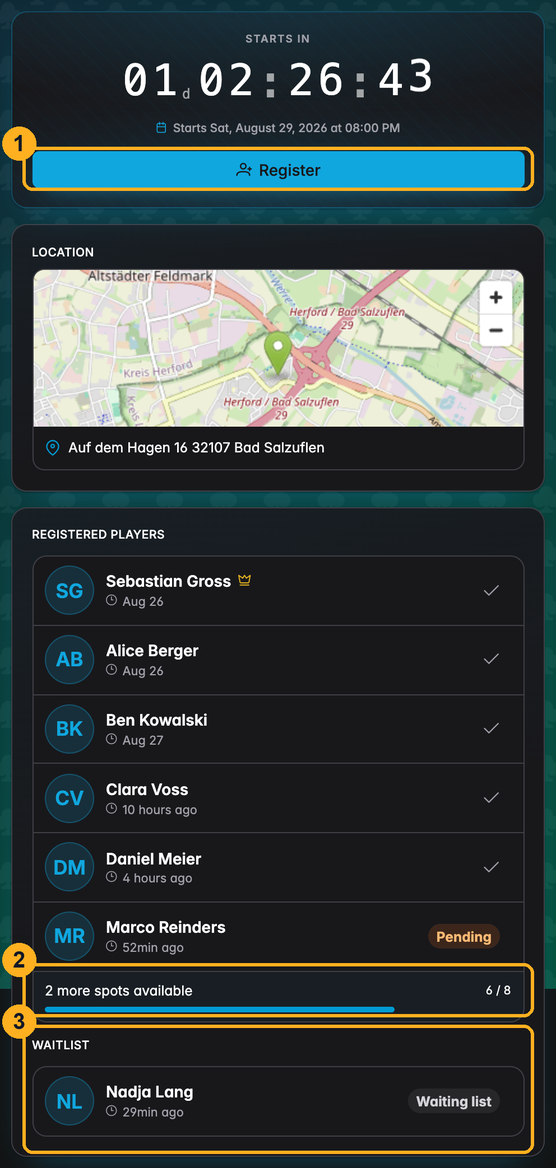
1 — Register. For a signed-in UHT account this opens the registration dialog. Without an account, UHT asks the visitor to sign in or create one first — registrations are tied to accounts, which is what keeps the field honest.
2 — Spots available. How many of the configured seats are still free, as a count and a bar. Confirmed and pending registrations both take a spot.
3 — Waiting list. Once the seats are gone, further registrations land here instead of being refused — provided the host left the wait list on.
Above and below those, the page shows the tournament name and description, a live countdown, the venue (with a map when the address could be resolved), and the tournament information tabs. The chat is not part of the visitor view.
Registering
Register shows the essentials one more time before anything is written:
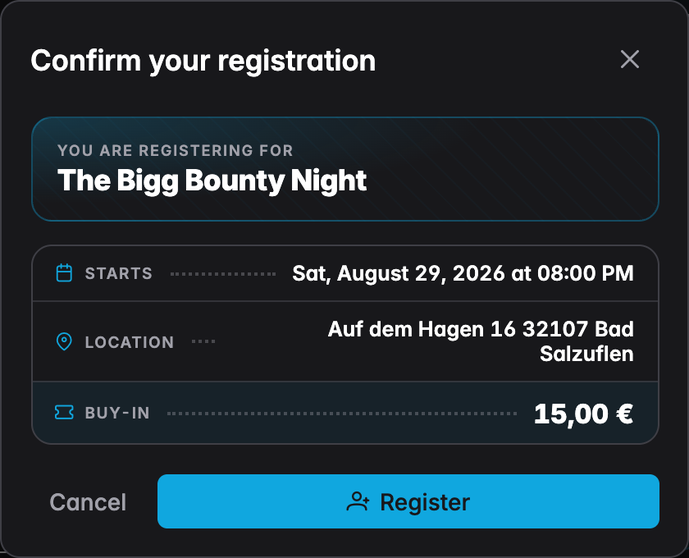
Confirming adds the player to the list as Pending — a registration the host has not approved yet:
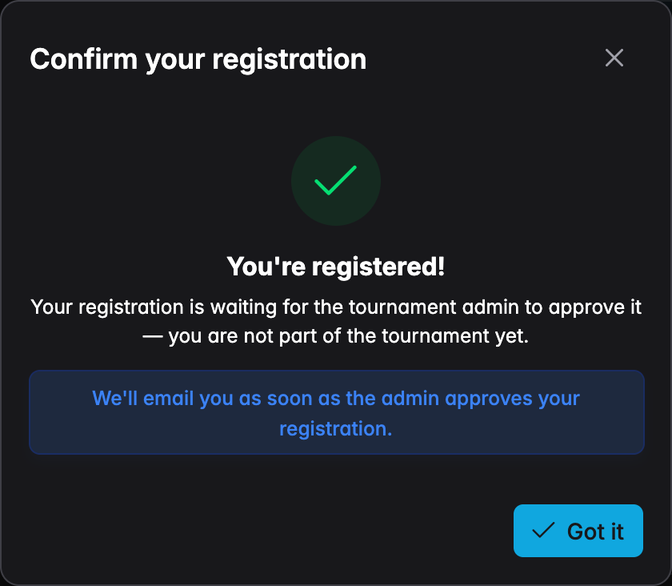
The wording is deliberate. A pending player is not in the tournament: they hold a spot in the lobby, nothing more. The same applies to the waiting list. Both states are resolved by the host, and the player gets an email when that happens.
Unregistering
While registered — pending, confirmed or waiting — the Register button becomes Unregister, with a confirmation step. A player who unregisters after being confirmed is removed from the tournament as well; their buy-in, chips and prize-pool contribution are withdrawn with them.
When registration is not possible
| Message | What it means |
|---|---|
| Registrations closed | The host turned self-registration off. Only they can add players. |
| This tournament has reached its maximum number of players | The field is full and there is no waiting list. |
| The current tournament configuration doesn't allow additional players | The host's licence tier caps the lobby, waiting list included. |
| You are already registered | There is one registration per account per lobby. |
| Registering for this tournament is not possible | The host has blocked this account from the lobby. |
The seating chart
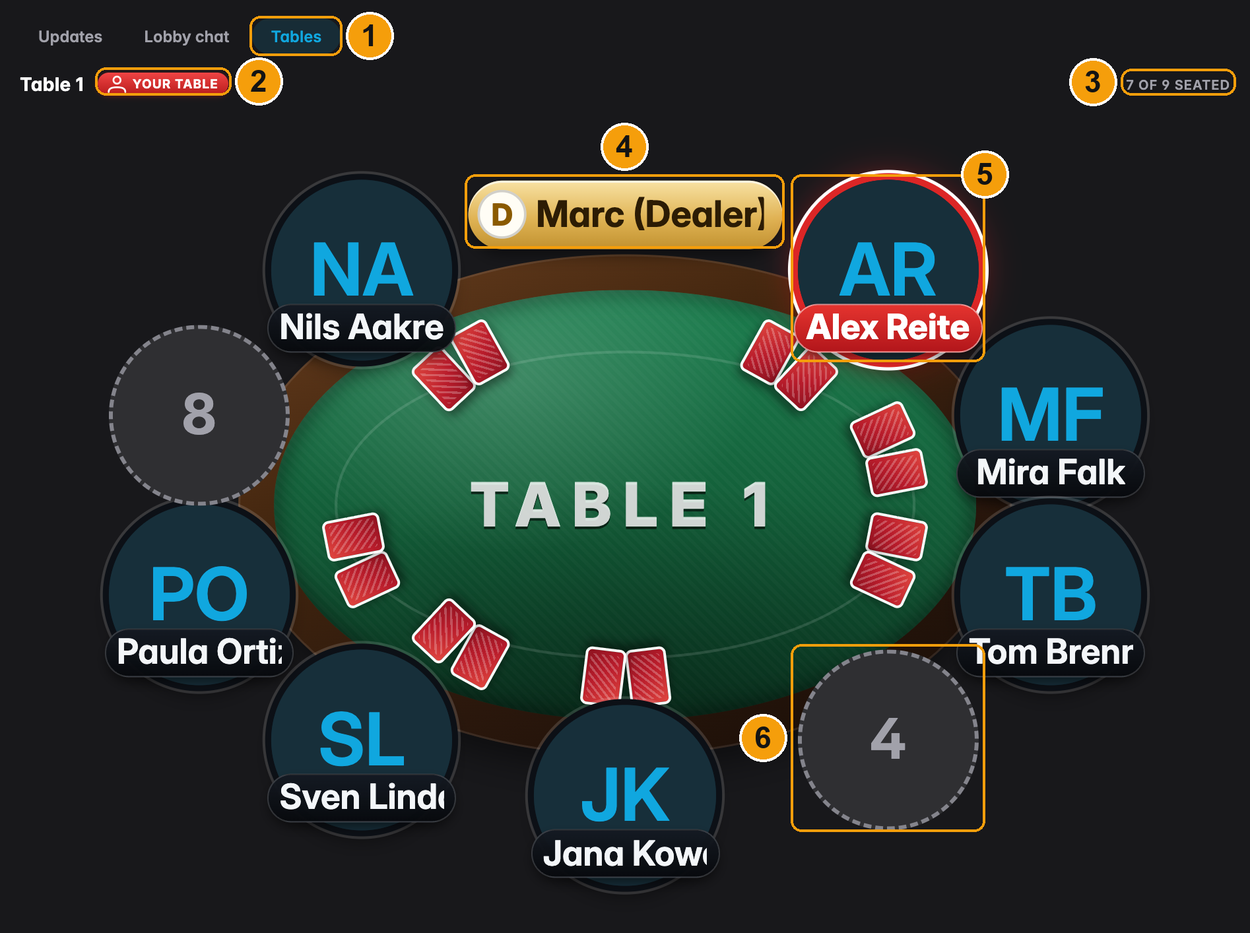
Once you have seated the field, a Tables tab appears beside Updates and Lobby chat, and every confirmed player can see where they will be sitting before they leave the house:
| # | What it is |
|---|---|
| 1 | The Tables tab. It exists only when the tournament has tables with seats assigned |
| 2 | Your table — marks the chart the reader is sitting at |
| 3 | How many of the table's seats are taken |
| 4 | The dealer, when one is assigned to that table |
| 5 | The reader's own seat, highlighted in red |
| 6 | A free seat, showing its seat number |
One chart is drawn per table, in the order the tournament holds them. Players are shown with their profile picture, or their initials when they have none; a very long name is cut to fit the plate.
The seating charts have the same audience as the lobby chat: you and confirmed players. Pending registrations, waiting-list players and visitors do not get the tab at all — the seat draw is not part of the public page.
The charts follow the seating dialog live. Move somebody to another table, break a table, or seat the last arrival, and every open lobby page redraws within a second — nobody has to reload, and nobody has to be sent a photo of the seating chart. Players you seated who never went through the lobby appear on the chart by name as well, so the table is complete.
See Managing tables for the seating dialog itself.
The tournament information tabs
Three tabs sit under the player list, and answer the questions that otherwise arrive as messages.
Tournament
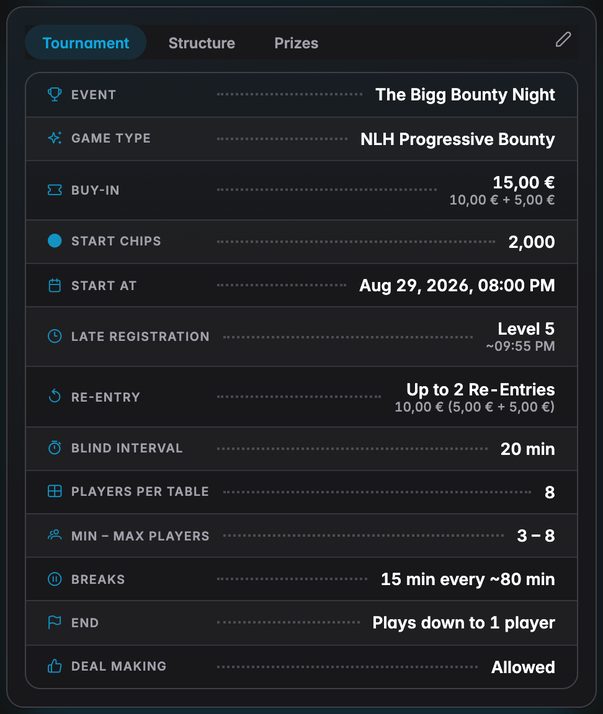
The event at a glance: game type, buy-in with its split into prize pool, bounty and rake, starting stack, start time, when late registration closes, the re-entry and add-on rules, blind length, break rhythm, and the informative options the host set — players per table, the min/max field, how the tournament ends, and whether deals are allowed.
Structure
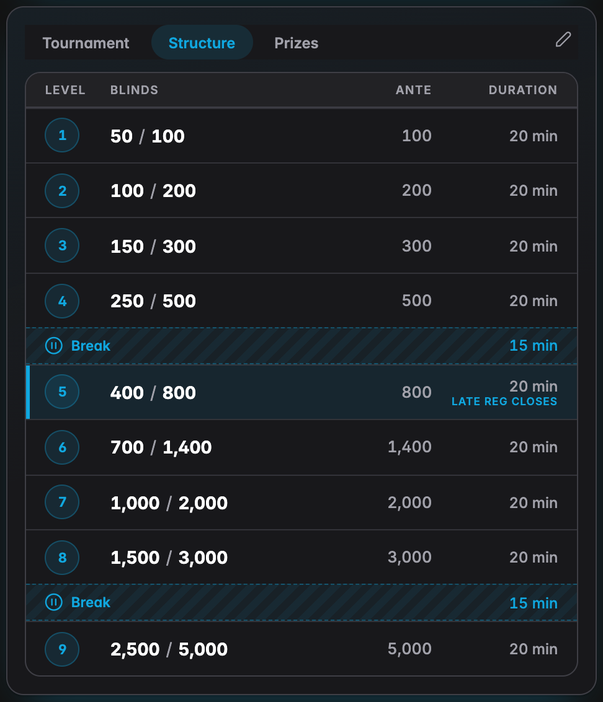
The full blind schedule, breaks included, with the level that closes late registration marked. This is the table people screenshot and send on to whoever asked "how deep does it play?".
Prizes
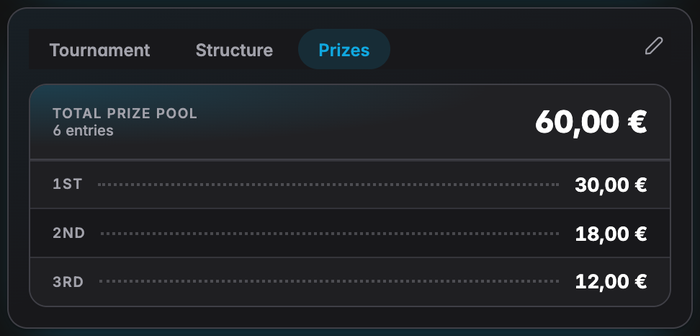
The payouts as they stand right now, for the number of players currently registered. It recalculates as the field grows, so the numbers on the page are always the numbers that would be paid if the tournament started at that moment. A guarantee, and any overlay the host is covering, is noted underneath.
Staying up to date
The page holds a live connection to UHT while it is open. New registrations, host decisions, new updates, chat messages and poll votes arrive on their own; the Updates and Lobby chat tabs carry a badge with the number of items posted since the reader last had the page open.
Confirmed players who would rather not have the whole page in the way can open the chat on a page of its own — built for a phone, and reachable with one tap from the planned tournaments list.
Confirmed players with an account also get an email 24 hours before the start, with the date, the time and the lobby link. Players who are still pending or on the waiting list do not — they are not in the tournament yet, and a reminder would be misleading.
Next
- Updates and lobby chat — the two communication channels
- Managing registrations — the host's side of this page