Hotkeys for your players
The player keys work in two different ways, depending on one setting of your tournament: Track Players in the tournament settings.
- Track Players on: every player has a name. The keys open the dialogs for adding, busting and re-entering a player, and for booking an add-on.
- Track Players off: UHT only counts. The keys change the counters for entries, players left, re-entries and add-ons.
You don't have to think about which one applies. UHT picks the right one for the tournament on screen, and the cheat sheet only shows the keys that work.
In Settings → Hotkeys the two kinds are listed as separate groups, so you can change them one by one:
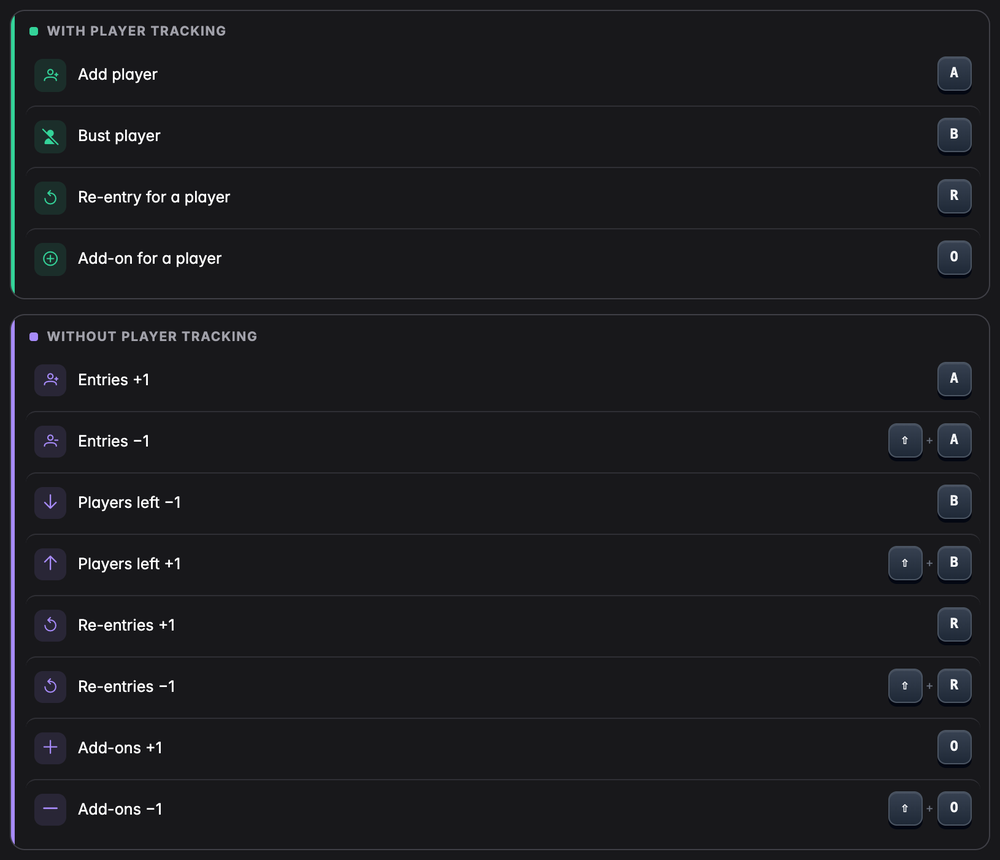
With player tracking
| Key | What it does |
|---|---|
| A | Adds a player |
| B | Busts a player |
| R | Re-entry for a busted player |
| O | Add-on for a player |
Adding a player
Press A and the Add Player window opens with the cursor already in the name field. Type the name, choose it from the list and click Add (the window stays open for the next player) or Add & Close.
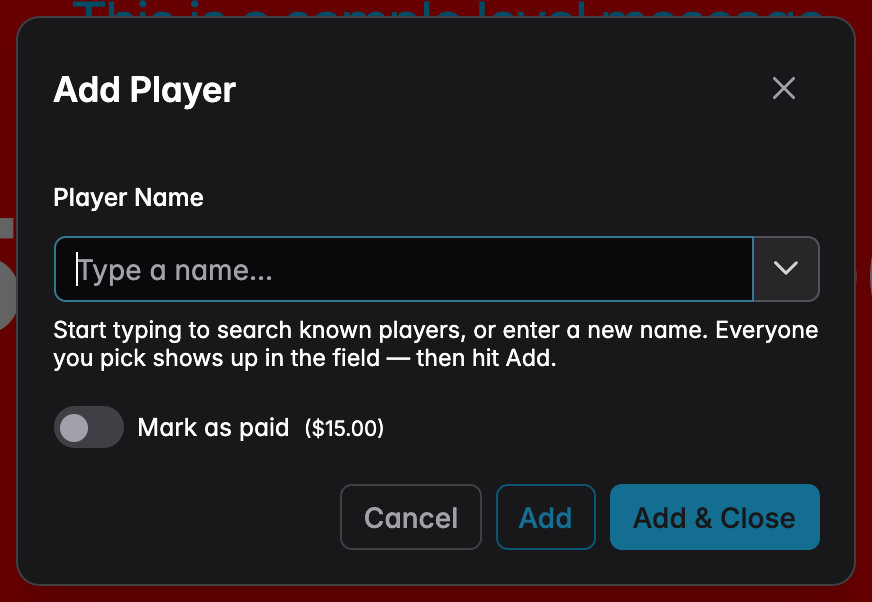
If your tournament has a lobby, A opens the lobby's own window for adding a player instead, so the new player is seated right away.
Busting a player
Press B. A small window asks Who is out? and lists every player who is still in.
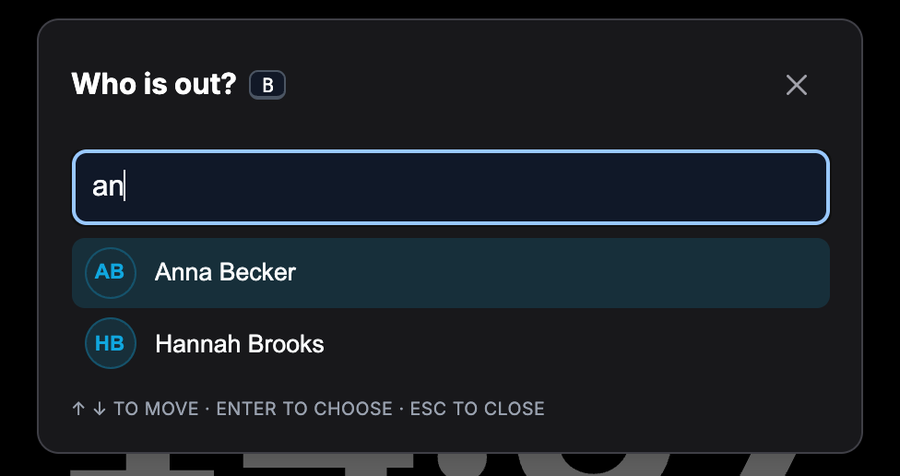
- Type a few letters of the name. The list gets shorter with every letter. In the picture, "an" is enough to narrow eight players down to two.
- Use ↑ and ↓ to move to the right player. The first one is already selected.
- Press Enter.
Now the normal Bust Player window opens, the same one you get from the player list. Choose who knocked the player out and confirm.
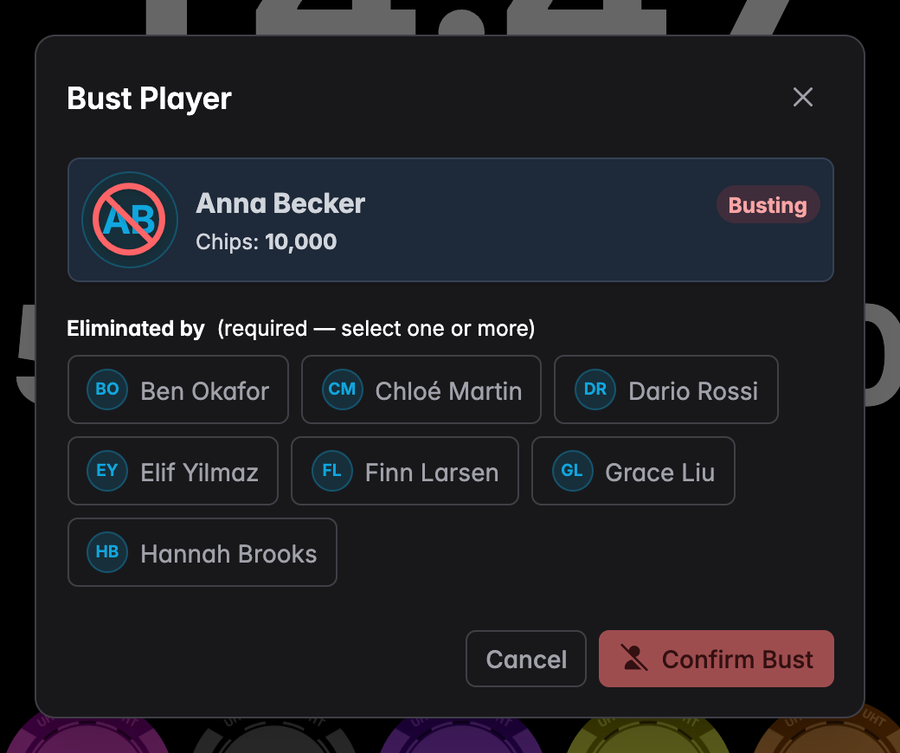
With a bit of practice it goes like this: B, two letters, Enter, click the winner of the hand, done. Nothing is busted until you confirm in the second window, so a wrong key costs you nothing. Esc closes either window.
A re-entry
R works the same way, but the list shows the players who are out and are still allowed to come back. Pick the player and press Enter, and the usual re-entry window opens.
If re-entries are switched off for the tournament, or nobody is allowed back any more, R does nothing and the message at the bottom of the screen tells you why.
An add-on
Press O. The list asks Who takes an add-on? and shows every player who is still in and hasn't used up their add-ons yet.
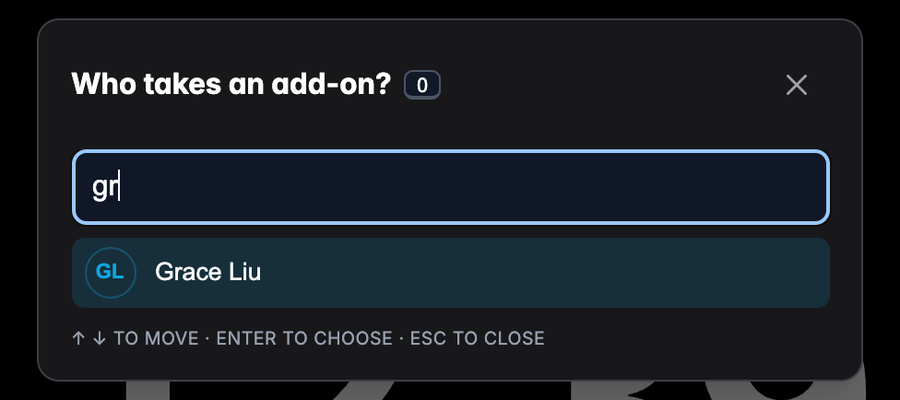
Type a few letters, press Enter, and UHT shows what the add-on costs, how much goes into the prize pool and how many add-ons the player will have afterwards.
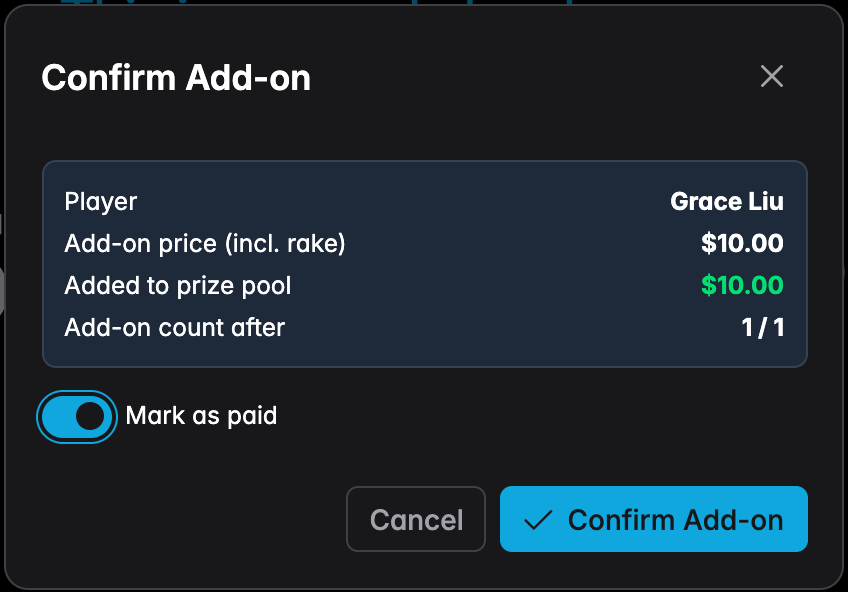
If you track payments, Mark as paid is on already; switch it off if the player still owes you. Click Confirm Add-on and it is booked.
This window always asks first, even when you don't track payments. In the player list, the add-on button books right away, because you click on the player's own row. With the keyboard it's easier to pick the wrong name, so UHT lets you check.
O does nothing if add-ons are switched off for the tournament.
Without player tracking
If you don't enter names, there is nothing to pick. The keys change the four counters in Tournament Controls instead. Shift together with the key goes the other way.
| Key | What it does |
|---|---|
| A | One more entry |
| Shift + A | One entry less |
| B | One player less in "players left" (a player busted) |
| Shift + B | One player more in "players left" |
| R | One more re-entry |
| Shift + R | One re-entry less |
| O | One more add-on |
| Shift + O | One add-on less |
R only works when re-entries are on, and O only when add-ons are on, just like the buttons.
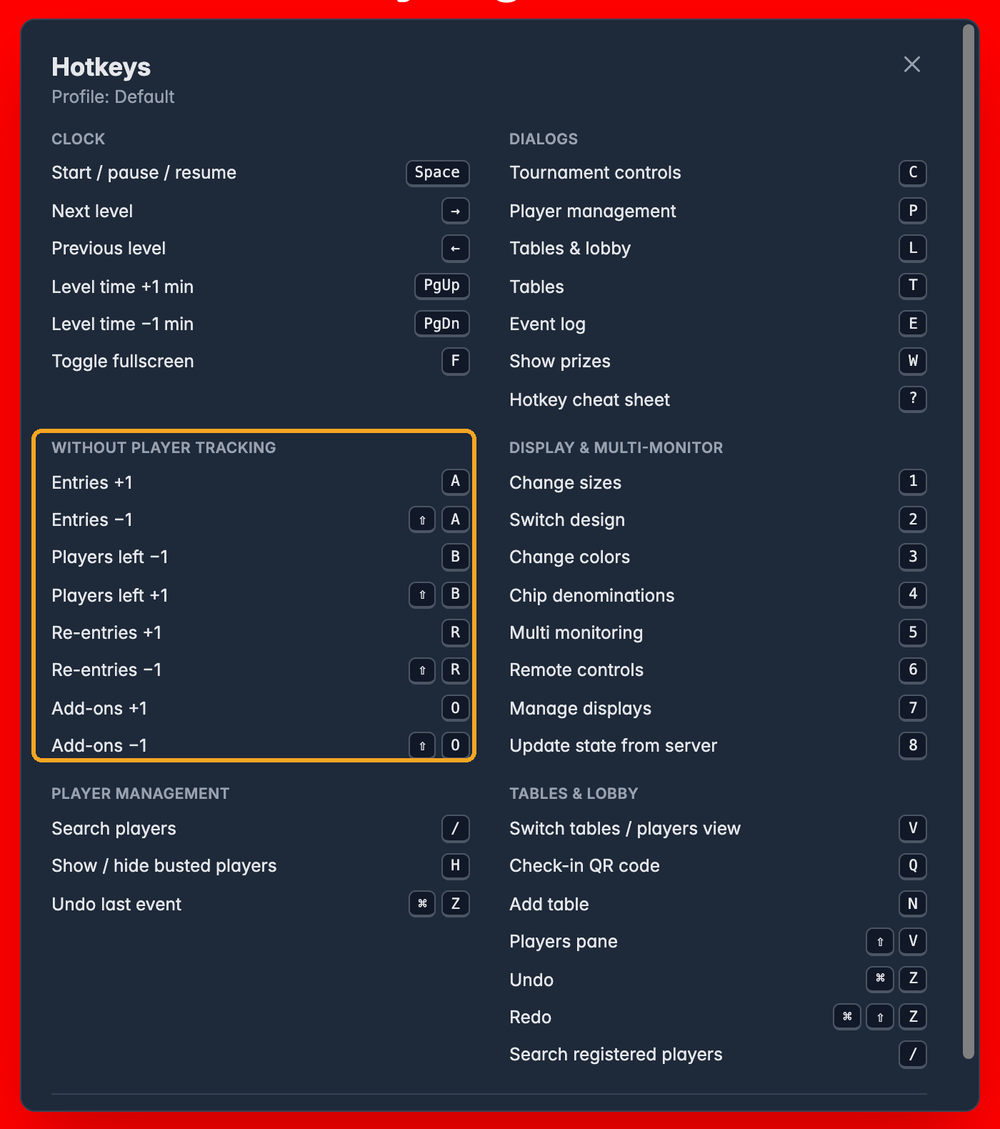
A, B, R and O mean "a player came in", "a player is out", "a player bought back in" and "an add-on", whether you track names or not. A tournament is always one or the other, so the keys never get in each other's way.
Inside the player list
When the player list is open (press P), a few extra keys work there:
| Key | What it does |
|---|---|
| / | Jumps into the search box |
| H | Hides or shows busted players |
| Ctrl + Z (on a Mac ⌘ + Z) | Undoes the last thing that happened, for example the last bust |
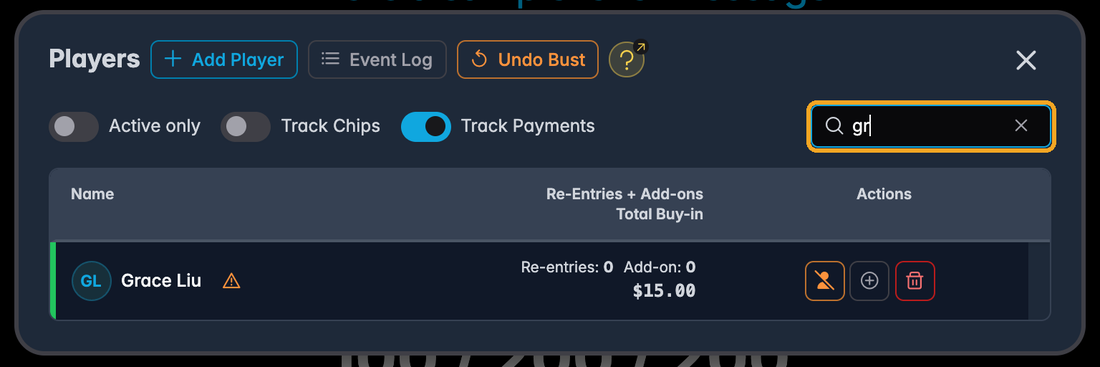
The Undo button at the top always says what it will undo, here Undo Bust. The key does exactly the same as the button.
Inside Tables & Lobby
When Tables & Lobby is open (press L or T), these keys work there:
| Key | What it does |
|---|---|
| V | Switches between the tables and the player list |
| Shift + V | Shows or hides the players next to the tables |
| Q | Shows the QR code players scan to check in |
| N | Adds a table |
| / | Jumps into the player search |
| Ctrl + Z (on a Mac ⌘ + Z) | Undoes the last seating change |
| Ctrl + Shift + Z (on a Mac ⌘ + Shift + Z) | Redoes it |
Balancing the tables has no standard key. You can give it one in the settings.