Design defaults
A design laid out for 1.5M looks cramped when the stack reads 1,500,000. A prize
table with room for €50 breaks when it has to show €50.00. Design defaults let the
design say how numbers should be formatted on it, so the layout works the way you drew it.
Where to find it
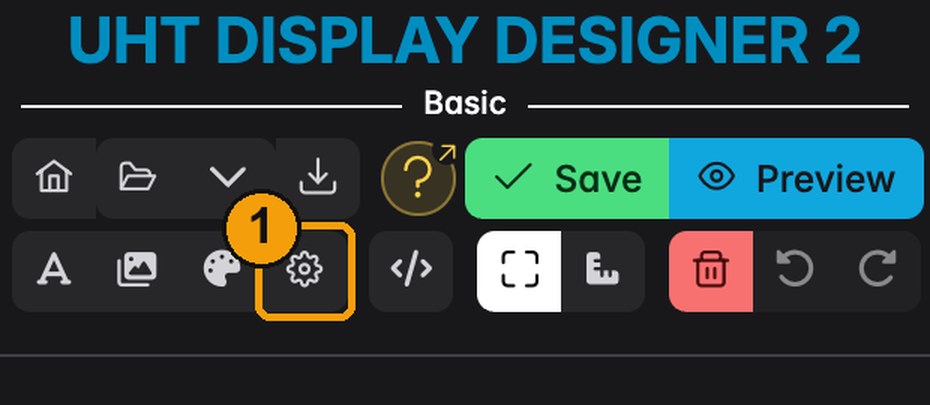
1 — The cog button, right after Manage Default Colors in the sidebar toolbar.
The dialog
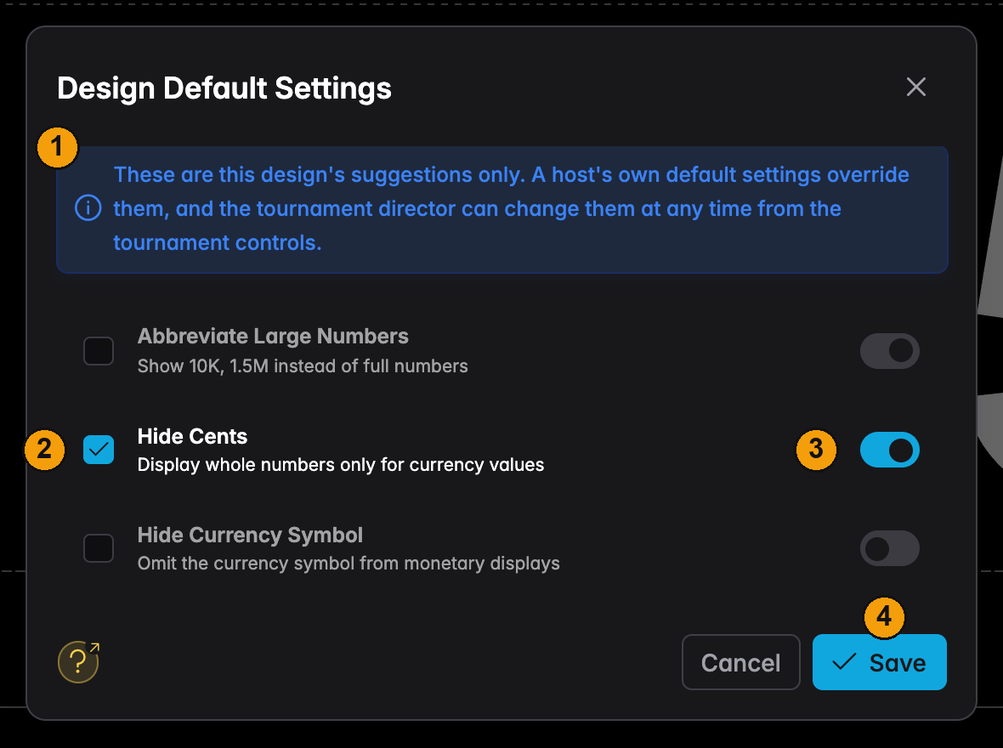
1 — What these settings are. Suggestions that travel with the design. They only apply where nobody else has decided — see below.
2 — Checkbox. Tick a setting to make it part of the design. Unticked settings are left to the host and to UHT's standard values.
3 — Value. Switch the setting on or off. The canvas follows your choice right away, so you can see the numbers change while you design.
4 — Save stores the choice in the design. It is saved together with the design and travels with it when you export or share it.
Three settings are available: Abbreviate Large Numbers, Hide Cents and Hide Currency Symbol.
Suggestions, not rules
A design default is the weakest of three voices:
- The design suggests a value — this dialog.
- The host's own default settings override it.
- The tournament controls override both while the tournament runs.
That is the intended order: the person who runs the tournament always has the last word, the host decides for all their tournaments, and the design fills in what nobody else set.