Clubs and leagues at a glance
A club is the online home of your poker group. Your players sign up once, then they see your schedule, register for your tournaments, read your house rules and follow your news. You run the tournaments with the same UHT timer you already know, and every result lands in the club automatically.
On top of that you can run leagues: a season of tournaments where players collect points and fight for a place on the leaderboard.
All examples in this section use an invented club, the Harbor Lights Poker Club, with 32 members, a weekly Friday Deepstack and two league seasons a year.
Who clubs are for
- Home games and private groups that are tired of WhatsApp polls for "who is in on Friday?".
- Poker clubs and associations with a fixed member list, house rules and a season.
- Card rooms and bars that run regular tournaments and want players to register themselves.
A club does not have to be big. A free club holds up to 20 members, which covers most home games. See Creating a club for the limits.
Your clubs page
Open Clubs in the top menu. Every club you belong to appears as a card under Your clubs / rooms.
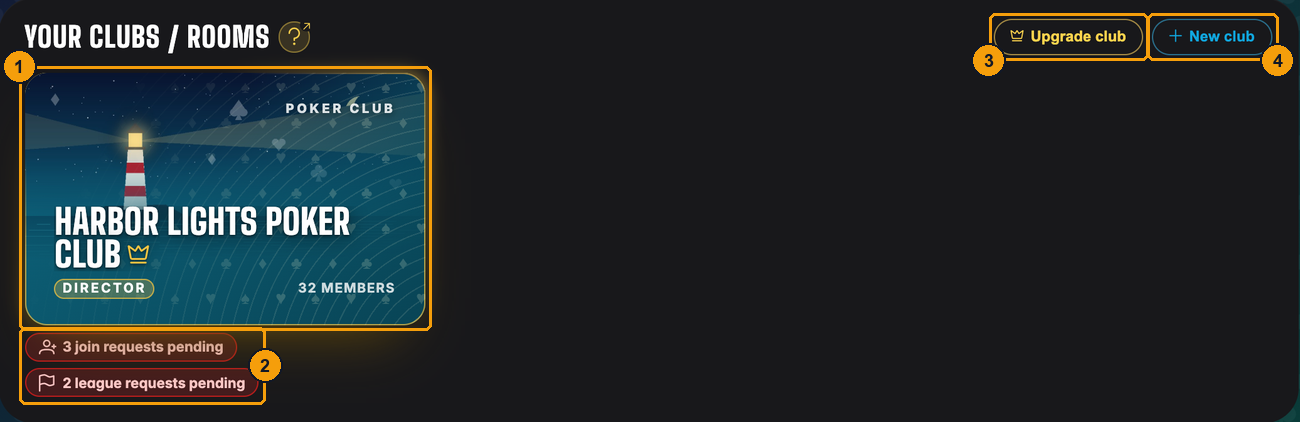
- Your club card. The golden crown and glow mean the club has a Clubs license. The badge in the corner shows your role, here Director.
- Directors see open requests right under the card: players who want to join the club and members who want to join a league.
- Upgrade club assigns a Clubs license to a club you founded.
- New club starts another club.
A player who belongs to two clubs sees two cards:
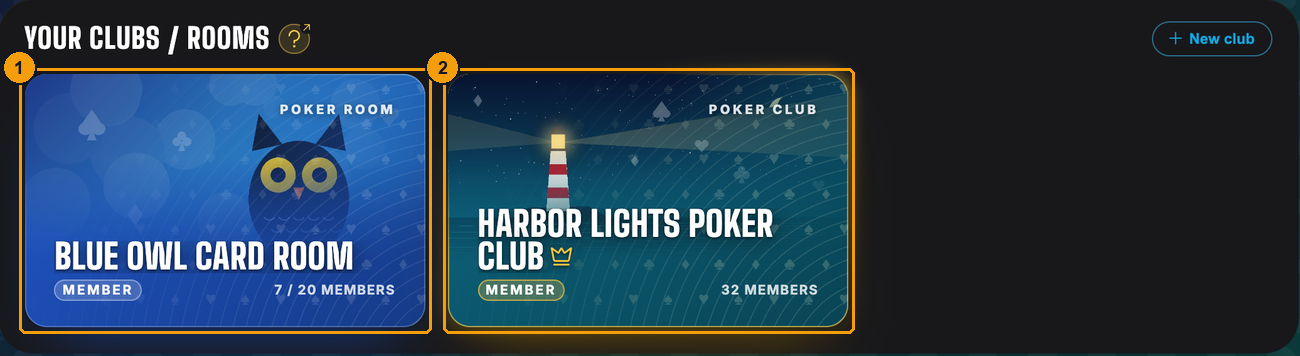
- Harbor Lights Poker Club, where Emma is a member.
- Blue Owl Card Room, a second club she plays in.
Inside a club
Click a card to open the club. This is what a director sees:
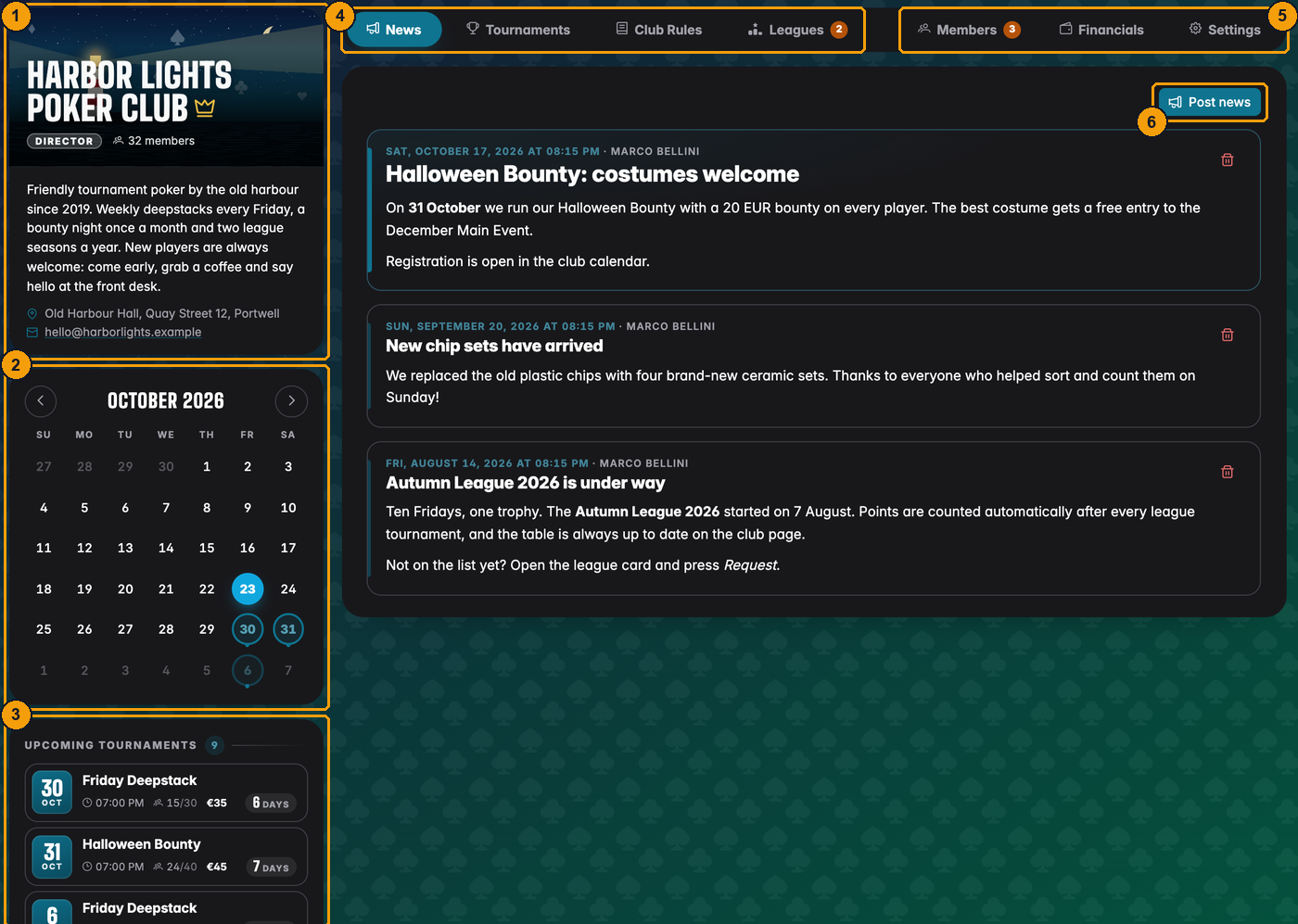
- The club card with name, your role, the member count, description, address and contact.
- The calendar. Days with a tournament or a club event are marked, events in their own color. Staff get a + button to add an event, and on wide screens a zoom button opens a big calendar.
- Upcoming events, the next tournaments and club events with time and, for tournaments, players and buy-in.
- The tabs every member has: News, Tournaments, Club Rules and Leagues.
- The staff tabs: Members, Financials and Settings. The orange numbers are open requests waiting for you.
- Post news writes an announcement to all members.
A regular member sees the same club with fewer tabs:
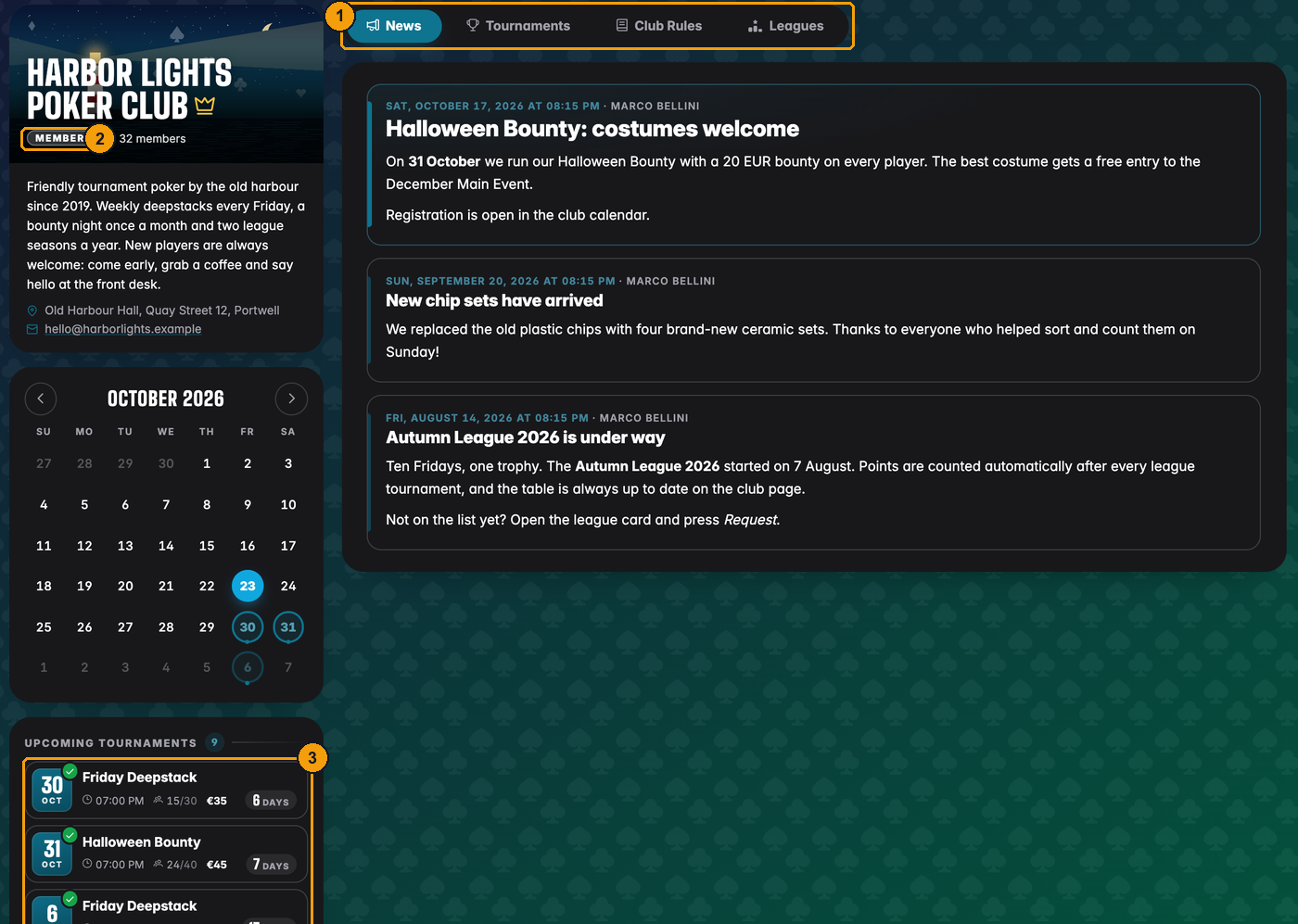
- Members only get the four public tabs. Members, Financials and Settings are not there.
- Their role badge says Member.
- A green tick on a tournament means they are registered for it.
The three roles
Every member of a club has one role. You can change it at any time (see Managing members).
| Role | In short |
|---|---|
| Director | Runs the club. Schedules tournaments, approves new members, changes roles, edits settings, rules and the club card, manages leagues and the books. A club can have several directors. |
| Floor | Your tournament staff. Runs the clock and handles registrations on tournament night, adds players and posts news, but cannot change the club itself. |
| Member | A player. Sees the schedule, registers for tournaments, reads news and rules, joins leagues. |
The person who created the club is its founder. The founder is always a director, cannot be removed, and is the only one who can delete the club or attach a Clubs license to it. The full list of who can do what is in Club administration.
Tournaments and leagues
The Tournaments tab lists everything the club has scheduled. Players open the lobby from here and register; directors and floor staff also start the controls and the display for the screen on the wall.
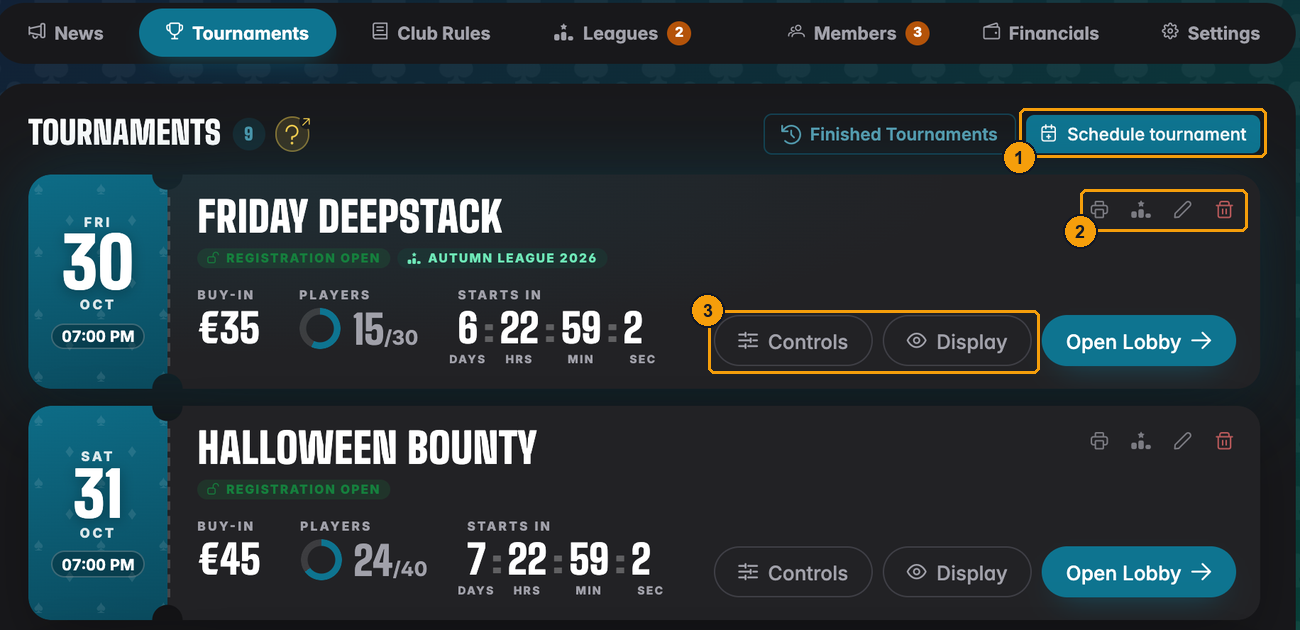
- Schedule tournament (directors only) adds a new event to the calendar.
- Print a flyer, assign the tournament to a league, edit or delete it.
- Controls runs the tournament, Display shows the clock.
The Leagues tab shows the club's seasons and leaderboards. Members ask to join a league, or join straight away if the league is open to everyone:
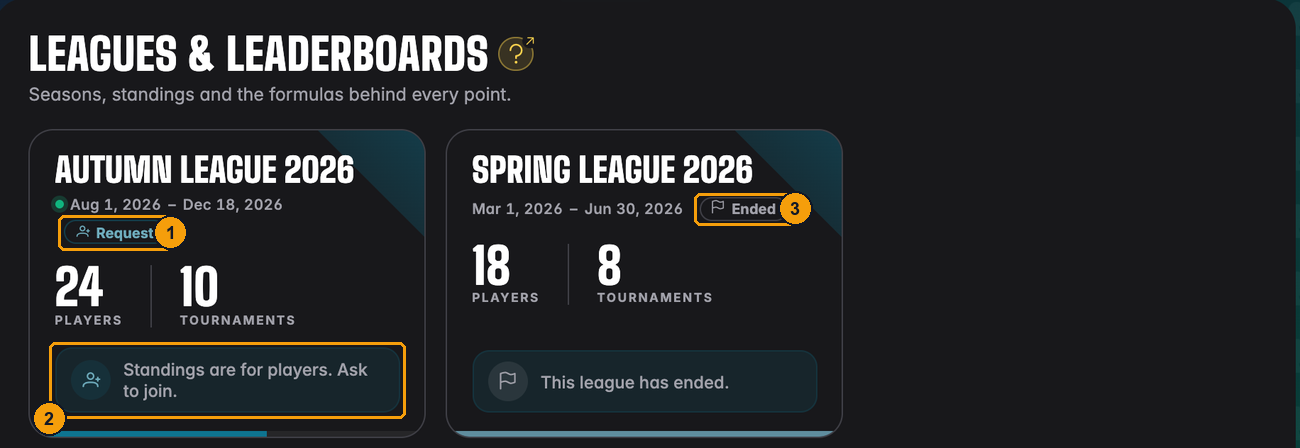
- Request: this member is not in the Autumn League yet and can ask to join.
- The standings are only for league players.
- The Spring League has Ended.
Where to go next
Setting up your club
- Creating a club: name, card, logo and colour, free and licensed clubs.
- Managing members: invite links, QR codes, join requests and roles.
- Manual players: players who never made an account.
- Club settings: details, card, rules, news, name display, deleting a club.
Running it
- Club tournaments: scheduling, the calendar, running and finishing them.
- Club administration: roles, approvals, staff on tournament night, locked clubs.
- Club financials and Financial statistics & reports: the club's books.
Leagues
- Leagues and leaderboards, League scoring, League tournaments, Importing a league and League statistics.
For players
- Joining clubs and leagues: what it looks like from the player's side.